



- A timesheet app is a digital tool that records, organizes, and analyzes employee working hours across tasks, projects, or cost centers, ensuring accurate payroll, productivity tracking, and compliance.
- Some of the best timesheet & time tracking apps include Mekari Talenta, Clockify, Toggl Track, Jibble, and Connecteam, each offering different strengths depending on business size and operational complexity.
Recording working time is often considered trivial, even though it plays a critical role in modern business operations. Without proper time management, companies will struggle to measure productivity, calculate working hours accurately, and ensure payroll runs transparently.
With a structured timesheet or time tracking app, teams can work more efficiently while companies gain clearer visibility into how working time is used.
To discover the best timesheet & time tracking apps that help manage team productivity more effectively, explore the recommendations in this article.








What Is Timesheet App?
A timesheet is a structured record of how working time is allocated, covering total hours worked and how those hours are distributed across projects, tasks, clients, or cost centers within a specific period.
In large or complex organizations, timesheets are closely tied to payroll accuracy, project costing, strategic workforce planning, and regulatory compliance, making them a critical source of operational data rather than just an administrative record.
A timesheet app digitizes and standardizes this process across the organization. It allows companies to capture time data consistently, apply rules such as shift schedules or overtime policies, and generate reliable datasets that can be used for payroll processing, billing, and performance analysis.
The value lies in creating a single source of truth for working time that can scale across multiple teams, locations, and employment types.
The term time tracking app is often used interchangeably, although it typically emphasizes the real-time aspect of capturing work activity (e.g., timers or activity tracking), while “timesheet” focuses more on structured reporting and approval workflows.
In most modern systems, both functions are combined into one platform to support end-to-end workforce management.
Benefits of Using a Timesheet & Time Tracking App
In modern organizations, especially those with distributed teams, multiple cost centers, or project-based work, timesheet & time tracking apps function as a data infrastructure layer that connects workforce activity with productivity, cost control, and strategic decision-making.
Research and industry data consistently show that structured time tracking leads to measurable improvements in productivity, accuracy, and operational efficiency.
For example, time tracking systems help organizations identify inefficiencies, optimize workflows, and improve output quality through better visibility into how time is actually spent.
Below are the key benefits of using a timesheet & time tracking app for modern organizations:
1. Improved Productivity & Workforce Efficiency
One of the most direct impacts of a timesheet & time tracking app is increased productivity through visibility and behavioral change.
This gap typically occurs because organizations lack structured visibility into how time is allocated across tasks, projects, and teams.
With structured time data, companies can identify inefficiencies such as over-allocation, duplicated work, and low-value activities that often go unnoticed in day-to-day operations.
This visibility allows managers to make more informed decisions while enabling teams to prioritize higher-impact work based on real data.
At scale, time tracking enables organizations to analyze work patterns and systematically eliminate time waste, such as excessive meetings or misaligned resource allocation.
Over time, this creates a reliable productivity baseline, allowing companies to continuously optimize performance and improve operational efficiency.
2. Higher Accuracy in Payroll, Billing & Compliance
Inaccurate time data often leads to payroll errors, disputes, and revenue leakage, especially in large or multi-entity organizations where complexity is higher.
At the same time, around 75% of businesses experience time theft, which typically occurs due to the lack of structured monitoring and verification processes.
This issue becomes even more apparent in organizations still relying on manual systems, where 80% of companies using paper-based timesheets require frequent corrections due to human error.
By standardizing time capture and applying automated rules for attendance, overtime, and approvals, a timesheet & time tracking app significantly reduces these risks.
It ensures that recorded working hours are consistent, auditable, and aligned with company policies and labor regulations.
For growing organizations, this level of accuracy directly impacts financial integrity, minimizes payroll disputes, and strengthens employee trust in the system.
Read also: What Is Payroll Automation? Cut Payroll Processing Time by 80%
3. Better Decision-Making & Resource Optimization
A timesheet & time tracking app transforms raw time data into actionable insights that support more informed decision-making across the organization.
This happens because organizations gain visibility into how time is distributed across projects, teams, and business functions.
Instead of relying on assumptions, leaders can identify which activities drive the most value, which projects consume excessive resources, and where adjustments are needed.
4. Improved Focus, Engagement & Work Quality
Beyond operational efficiency, a timesheet & time tracking app also influences how employees work on a daily basis.
With clearer visibility into how time is spent, employees become more intentional in prioritizing tasks and minimizing distractions. This encourages deeper focus and more structured workflows, which ultimately improves the quality of output.
Comparison Table of the Best Timesheet & Time Tracking Apps
Choosing the right timesheet & time tracking app can be challenging, especially with the wide range of features and pricing models available in the market.
This comparison table helps you quickly evaluate key differences across leading solutions based on features, advantages, and pricing.
| App | Core Capabilities | Key Strength | Pricing |
|---|---|---|---|
| Mekari Talenta | Integrated timesheet & time tracking, payroll, attendance (GPS/selfie), overtime automation, tax processing | ⭐ End-to-end workforce system where working hours are directly translated into payroll, overtime, and compliance-ready data | Custom pricing tailored to business needs |
| Clockify | Manual & automatic time tracking, reporting, billing | Simple and scalable tool for tracking billable hours across projects | Free – $15/user/month |
| Toggl Track | Time tracking, performance analytics, idle detection, integrations | Strong usability with advanced reporting for project-based productivity analysis | $9 – $18/user/month |
| Jibble | GPS tracking, facial recognition attendance, timesheets | Reliable attendance validation for mobile and field-based teams | Free – $4/user/month |
| Connecteam | Time tracking, scheduling, communication, workforce management | All-in-one platform for managing deskless and distributed employees | $29 – $99/month (flat) |
| Busybusy | Job site tracking, GPS, construction reporting | Strong job costing and field visibility for construction operations | $10 – $15/user/month |
| TMetric | Time tracking, activity monitoring, billing, project costing | Detailed productivity insights combined with client billing capabilities | $5 – $7/user/month |
| Traqq | Automatic tracking, screenshots, activity analytics | Deep visibility into employee activity and work patterns | Free – $7/user/month |
| TrackingTime | Time tracking, task management, invoicing, reporting | Balanced solution for tracking time while managing lightweight projects | Free – $12/user/month |
| OfficeTimer | Timesheet, project tracking, leave, expense, billing | Combines time tracking with basic operational and financial workflows | $5 – $10/user/month |
| Everhour | Time tracking, project budgeting, invoicing, integrations | Seamless integration with project management tools for workflow efficiency | $8.5 – $10/user/month |
| My Hours | Time tracking, reporting, budgeting, approval workflows | Cost-effective solution for managing billable hours across multiple projects | Free – $8/user/month |
Top 12 Timesheet & Time Tracking App for Business
In this section, we highlight 12 of the best timesheet & time tracking apps that help businesses streamline time management, improve operational visibility, and support more data-driven decision-making.
1. Mekari Talenta
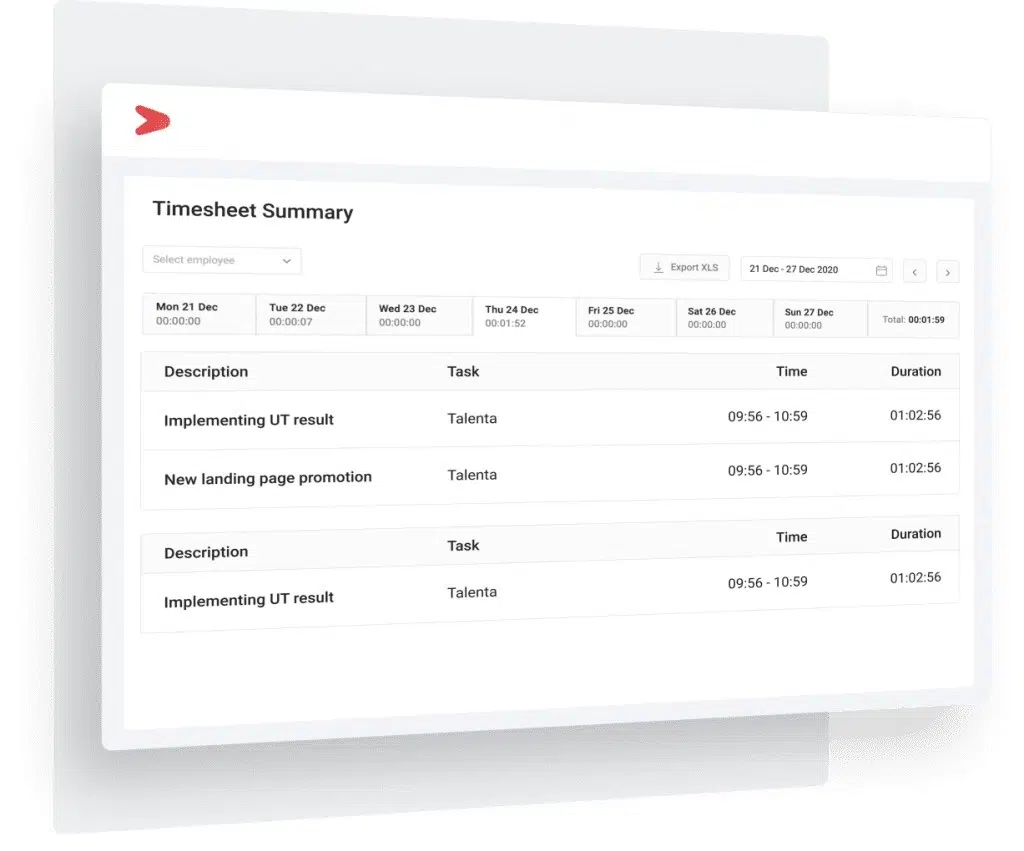
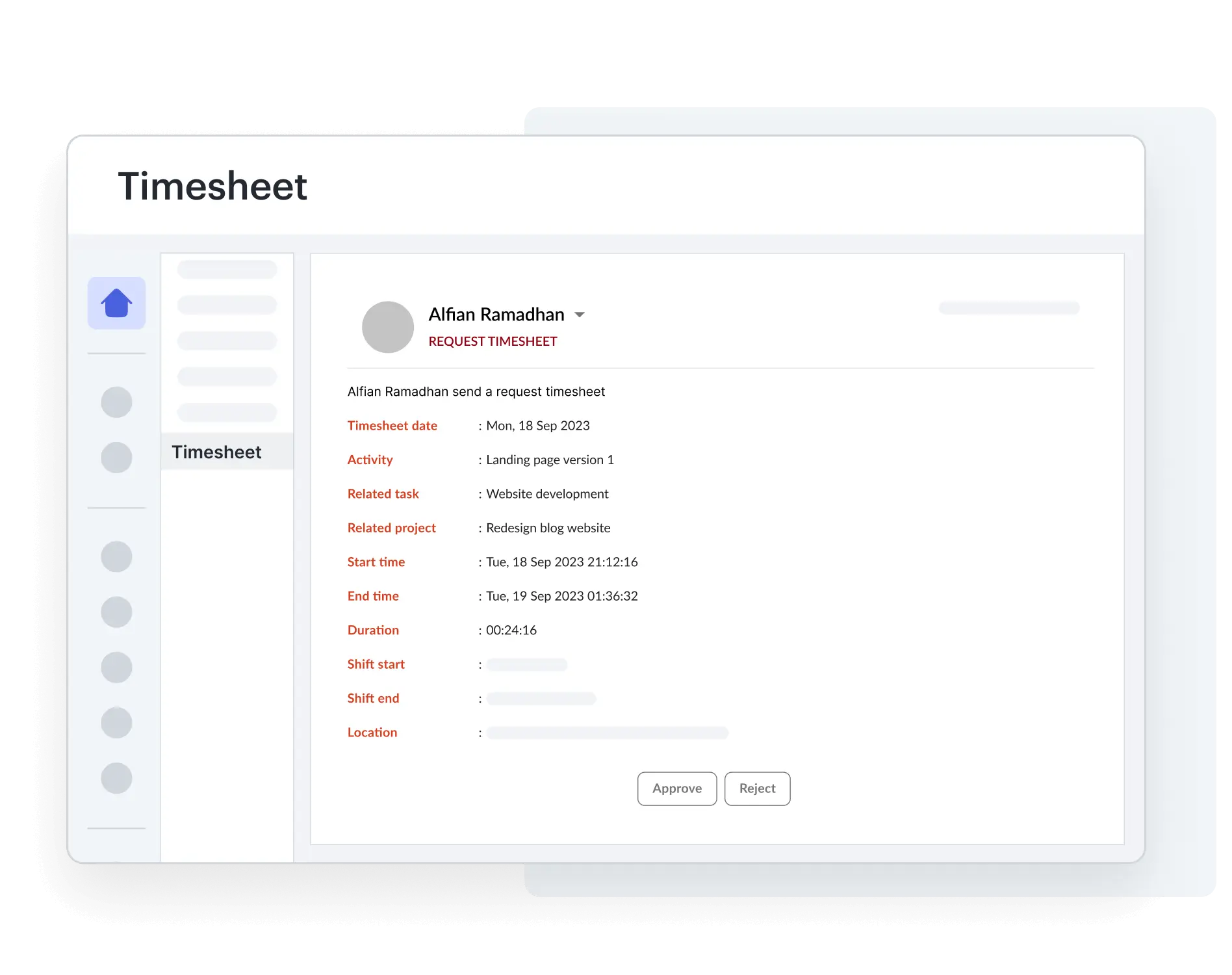
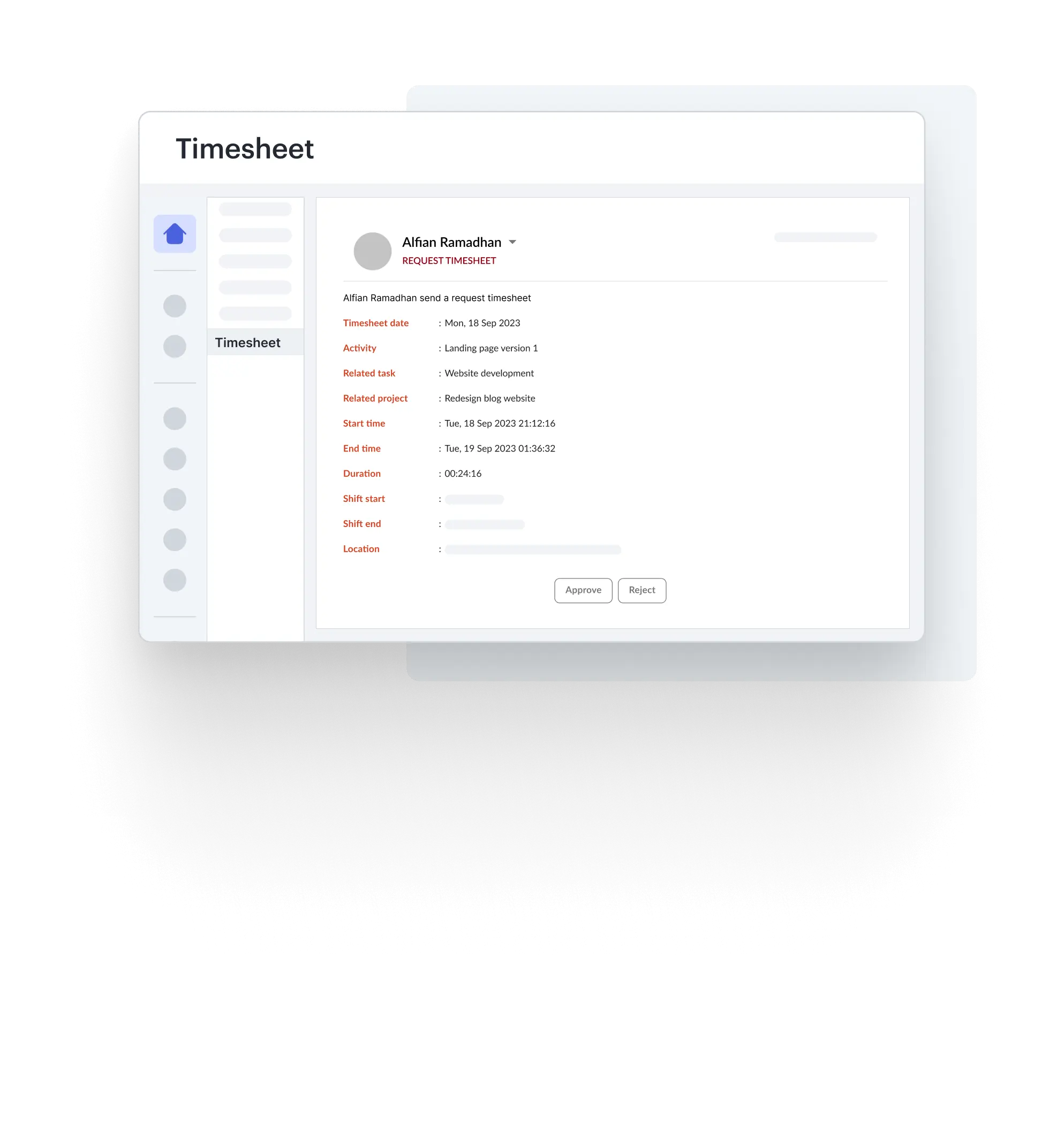
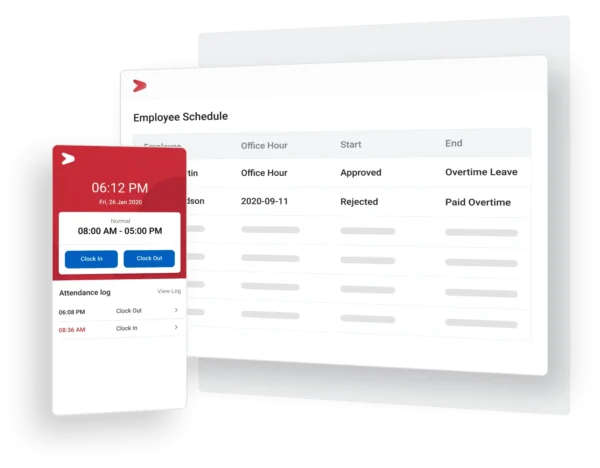
Mekari Talenta is an end-to-end HR platform that includes integrated timesheet and time tracking capabilities within a single system.
It enables organizations to capture working hours, monitor team activities, and connect time data directly with payroll and workforce management processes.
By centralizing time tracking, attendance, and HR operations, companies can reduce manual work while improving data consistency across teams.
The platform is designed to support structured workflows, real-time visibility, and scalable workforce operations across multiple locations.
This makes it easier to manage complex scheduling, distributed teams, and performance tracking within one unified system.
Key Features
Mekari Talenta provides a comprehensive set of timesheet and time tracking features designed to support structured workforce management and accurate time data processing:
- Automated work hour tracking with real-time data capture
- Integrated attendance and timesheet synchronization
- Real-time activity monitoring through centralized HR dashboards
- Automated task assignment and timesheet reporting
- Overtime calculation and payroll-ready time data
- Shift management and scheduling across teams and locations
- Cloud-based system with secure data storage and access
Pricing
Mekari Talenta offers multiple plans tailored to different operational needs, including Essential, Plus, and Talenta 360 packages with varying HR and time tracking capabilities. Pricing is not publicly fixed and depends on company size, feature requirements, and implementation scope.
Advantages
- Seamless integration between timesheet, attendance, and payroll within a single platform.
- Automated time tracking and real-time monitoring improve operational visibility.
- User-friendly interface that simplifies HR and time management processes.
- Supports multi-location and shift-based workforce management effectively.
Limitations
- Certain advanced configurations may require initial setup, but can be optimized through customization.
- Reporting flexibility may be limited for specific needs, but can be enhanced via exports or integrations.
Why choose Mekari Talenta?
2. Toggl Track
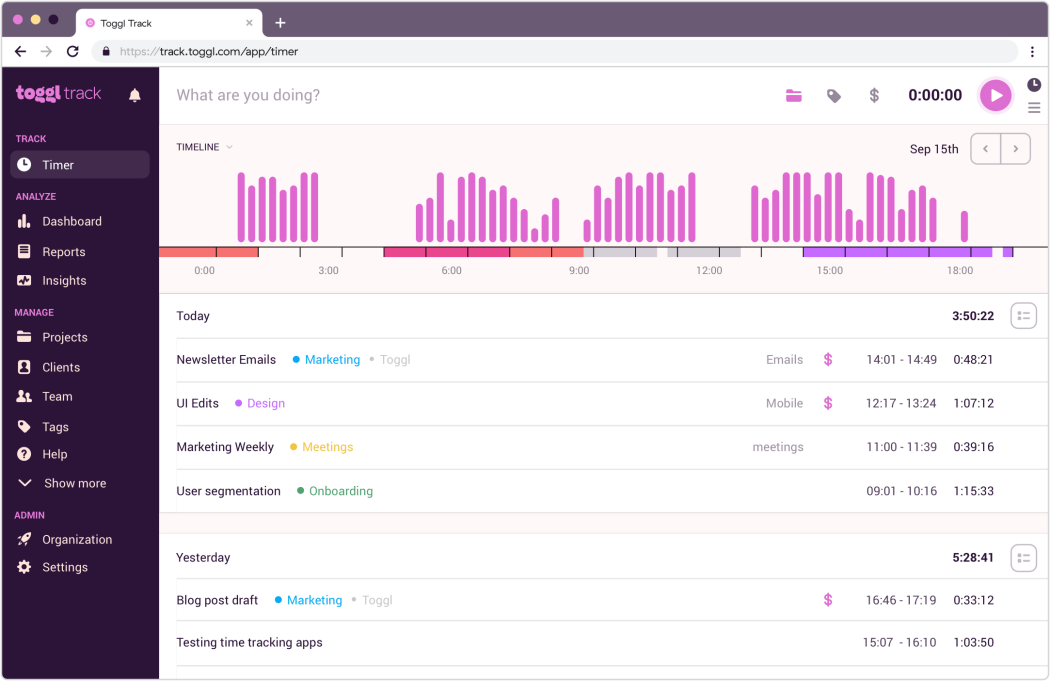
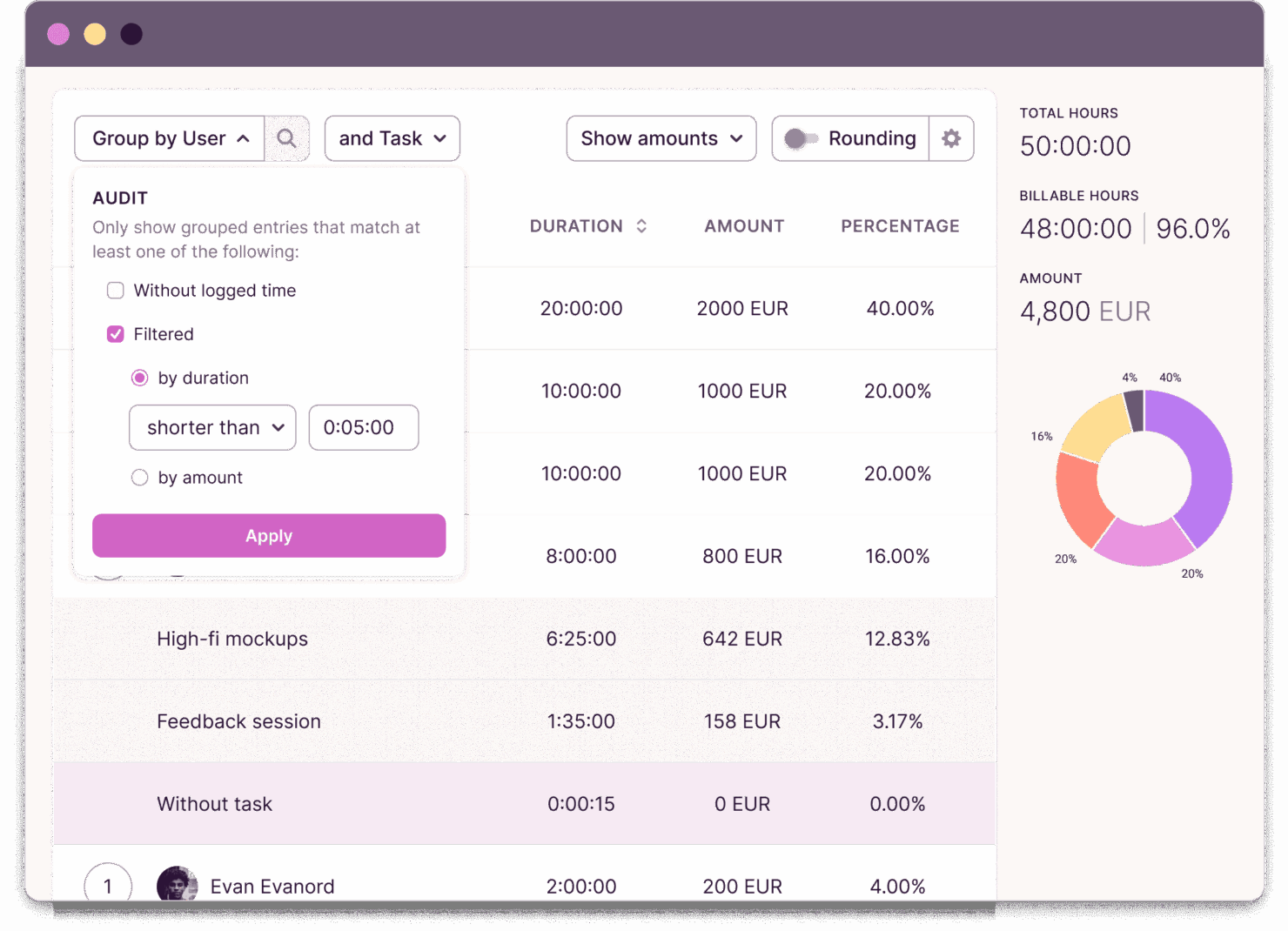
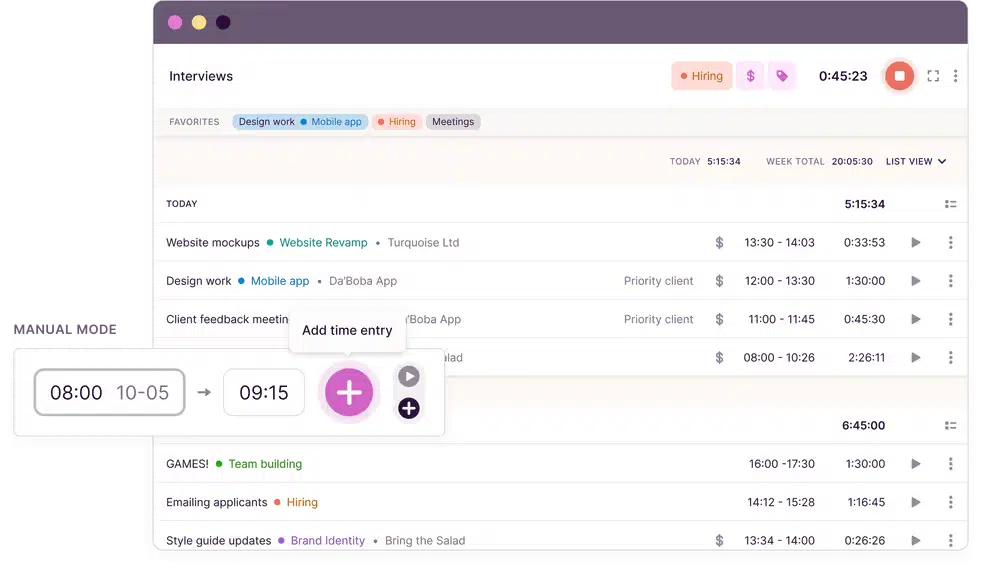
Toggl Track is a cloud-based timesheet & time tracking app designed to help organizations monitor work hours, project progress, and team productivity with high flexibility.
It is widely used for project-based work environments where time allocation, billable hours, and cost tracking are critical. The platform combines automated time tracking, reporting, and project visibility within a single system.
With strong analytics capabilities, it enables teams to evaluate performance and profitability across tasks and clients.
Key Features
Toggl Track provides a set of features designed to support structured time tracking and project-based workflows:
- One-click timer with manual and automatic tracking options
- Digital timesheets with approval workflows (on higher plans)
- Project and client dashboards with cost and time visibility
- Billable rates and invoicing (beta) for client-based work
- Advanced reporting and analytics with customizable dashboards
- Offline time tracking with automatic sync
- 100+ integrations with project management and business tools
Pricing
Toggl Track offers a tiered subscription model based on features and team size. Higher tiers unlock advanced capabilities such as timesheet approvals, forecasting, and deeper reporting insights.
The Free plan supports up to 5 users, while paid plans start from $9/user/month (Starter) and $18/user/month (Premium), with Enterprise pricing available on request.
Advantages
- Flexible time tracking with manual, automatic, and offline capabilities.
- Strong reporting and analytics for project profitability and time insights.
- Supports billable rates and client-based tracking for revenue visibility.
- Wide integration ecosystem with 100+ tools and platforms.
Limitations
- Limited native payroll and HR integration
- No GPS or location-based tracking
- Timesheet approval and controls are only available in higher-tier plans
Why choose Toggl Track?
3. Jibble
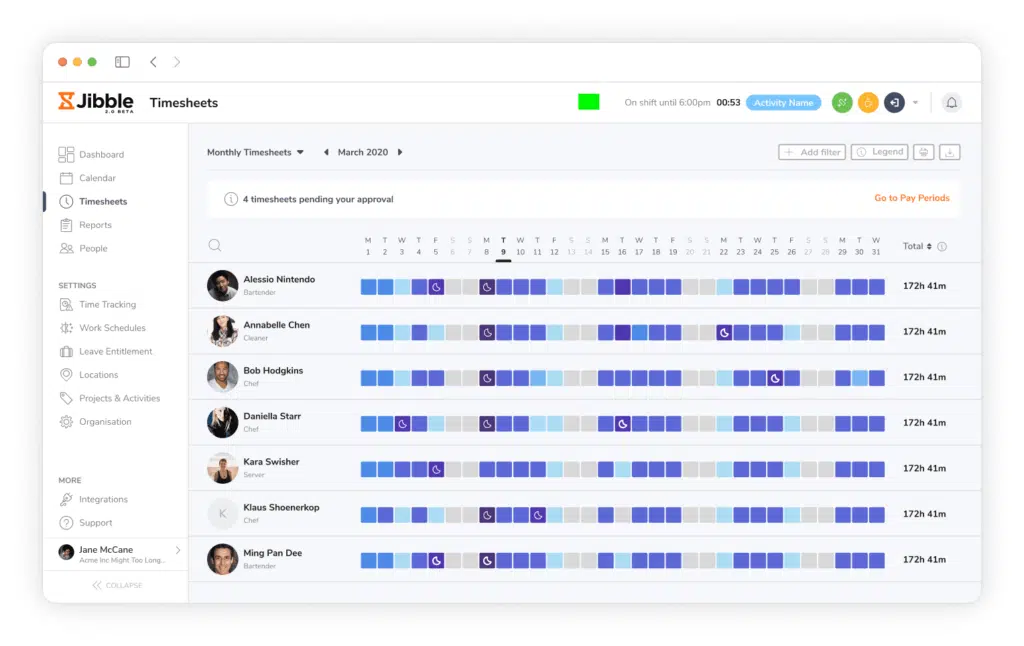
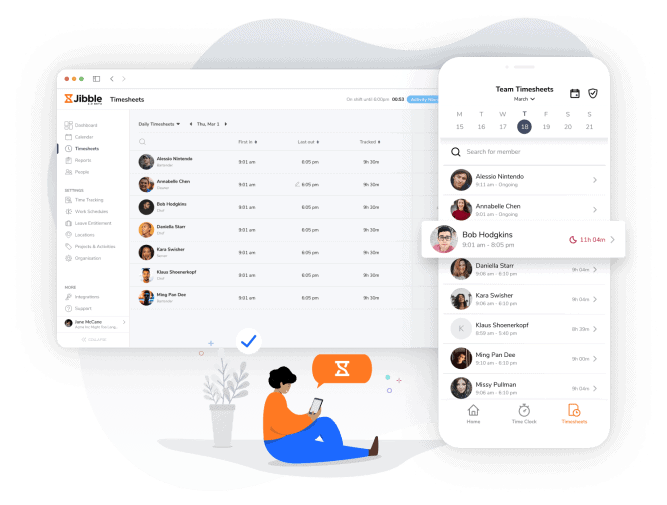
Jibble is a timesheet app designed to support both office-based and field teams with location-aware attendance tracking.
It combines time tracking, attendance monitoring, and basic workforce management features within a single platform.
The system is particularly useful for organizations that require visibility into on-site activities and employee movement.
With built-in GPS tracking, geofencing, and kiosk mode, it enables more controlled and verifiable clock-in processes.
Key Features
Jibble offers a range of features designed to support structured time tracking and attendance visibility across distributed teams:
- Real-time time tracking via timer and digital timesheets
- GPS tracking and geofencing for location-based attendance validation
- Kiosk mode with facial recognition and NFC support
- Work schedule management with overtime and break rules
- Attendance reports and timesheet summaries with export options
- Time-off management with leave tracking and approval workflows
- Mobile-first experience optimized for field and on-site employees
Pricing
Jibble offers a flexible pricing model with a free plan that includes unlimited time tracking, projects, and basic features.
Paid plans start from approximately $3.49/user/month (Premium) and $6.99/user/month (Ultimate), with Enterprise pricing available for advanced customization and larger deployments.
Higher-tier plans unlock features such as advanced reporting, live location tracking, and expanded attendance controls.
Advantages
- Affordable pricing with a free plan supporting unlimited time tracking.
- Strong location-based tracking with GPS, geofencing, and kiosk features.
- Mobile-friendly interface that supports on-site and field workforce operations.
- Simple setup for attendance, schedules, and leave management.
Limitations
- Limited native payroll capabilities.
- Occasional performance issues or syncing delays.
- Integration options are more limited compared to some competitors.
Why choose Jibble?
4. Connecteam
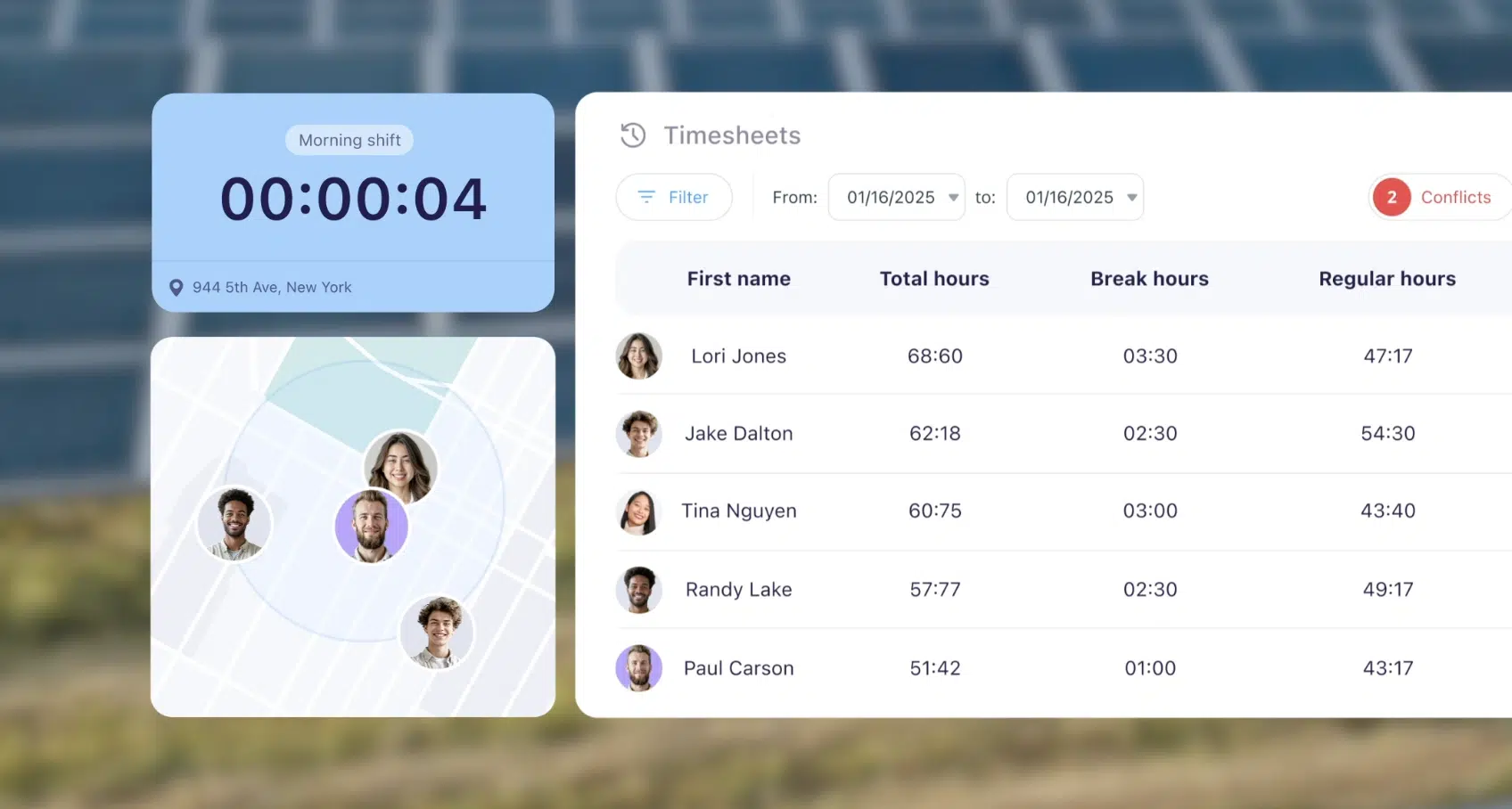
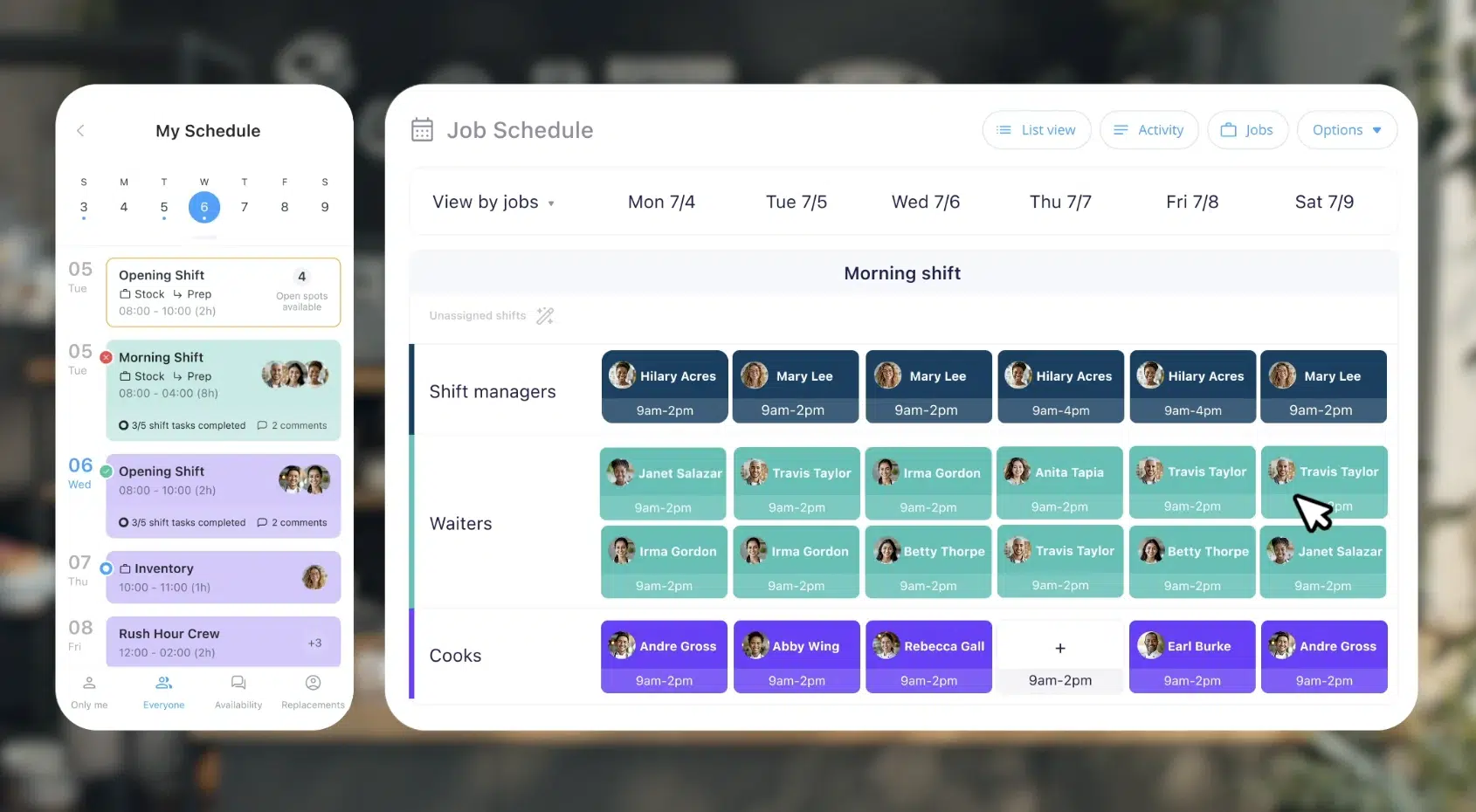
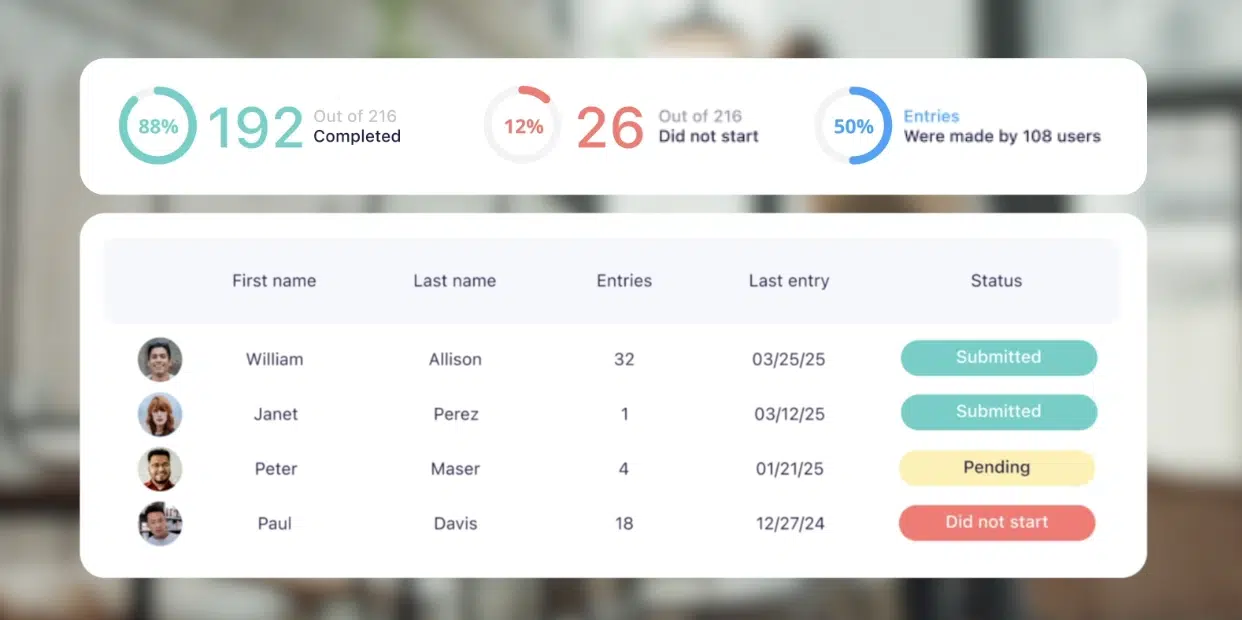
Connecteam is a comprehensive timesheet & time tracking app that extends beyond basic time logging into a broader workforce management platform.
Built as a mobile-first solution, it integrates time tracking with scheduling, internal communication, and HR operations within a unified system. This makes it particularly relevant for organizations managing distributed, frontline, or deskless employees.
Its modular structure, covering Operations, Communications, and HR, allows companies to centralize multiple workflows, although this also introduces added complexity in implementation and pricing.
Key Features
Connecteam combines time tracking with operational and workforce management capabilities, making it suitable for companies that require more than standalone timesheet functionality:
- Real-time time tracking with GPS, geofencing, and auto clock-out
- Automated timesheets with approval workflows and payroll-ready exports
- Advanced employee scheduling with templates, shift swapping, and auto-assignment
- PTO and leave management with customizable policies and accrual rules
- Built-in communication tools including chat, updates, and company-wide announcements
- Task management, forms, and checklists integrated into daily operations
- Labor cost monitoring with insights into scheduled vs actual work hours
Pricing
Connecteam uses a modular pricing structure based on three hubs (Operations, Communications, HR & Skills). It offers a free plan for up to 10 users.
Paid plans start from approximately $29/month (for up to 30 users) under the Basic tier, with additional per-user fees as teams scale.
Higher-tier plans unlock advanced automation, reporting, and administrative controls. However, total costs can increase significantly when multiple hubs are combined.
Advantages
- All-in-one platform combining time tracking, scheduling, communication, and HR tools.
- Strong geolocation and geofencing features to improve attendance accuracy.
- Flexible scheduling with automation, shift templates, and availability management.
- Built-in communication tools reduce dependency on external apps.
Limitations
- Pricing structure can be complex and increase as multiple modules are activated.
- Reporting capabilities are relatively surface-level.
- Interface may feel cluttered for managers.
- No offline mode available.
Why choose Connecteam?
5. BusyBusy
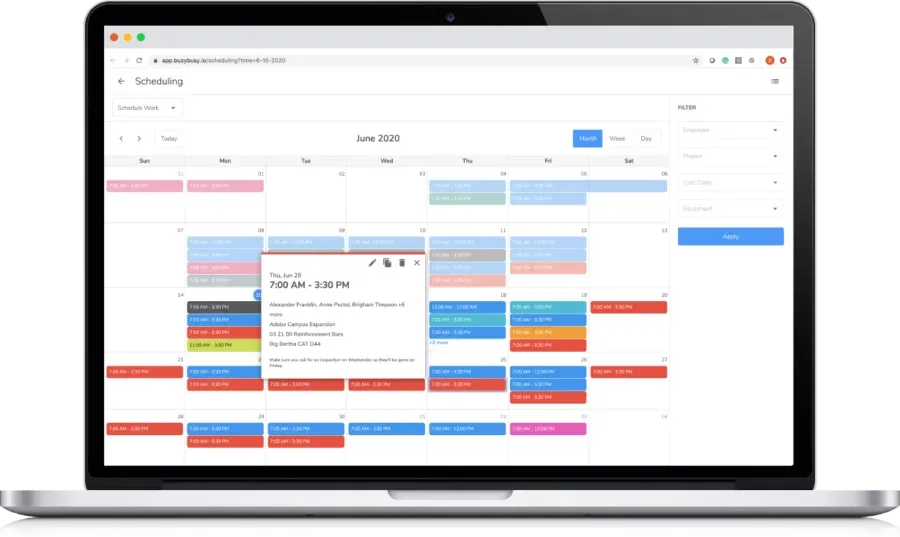
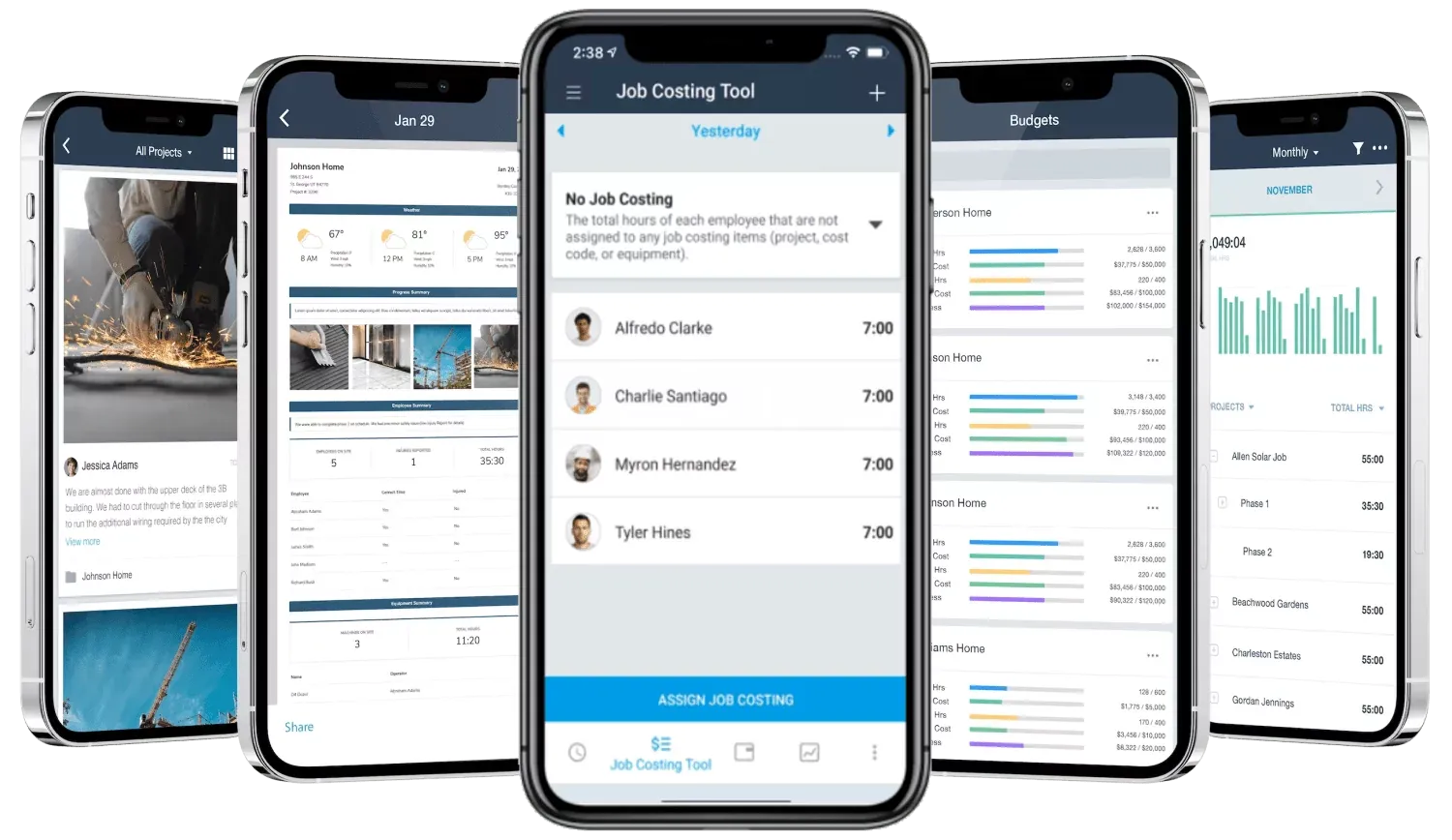
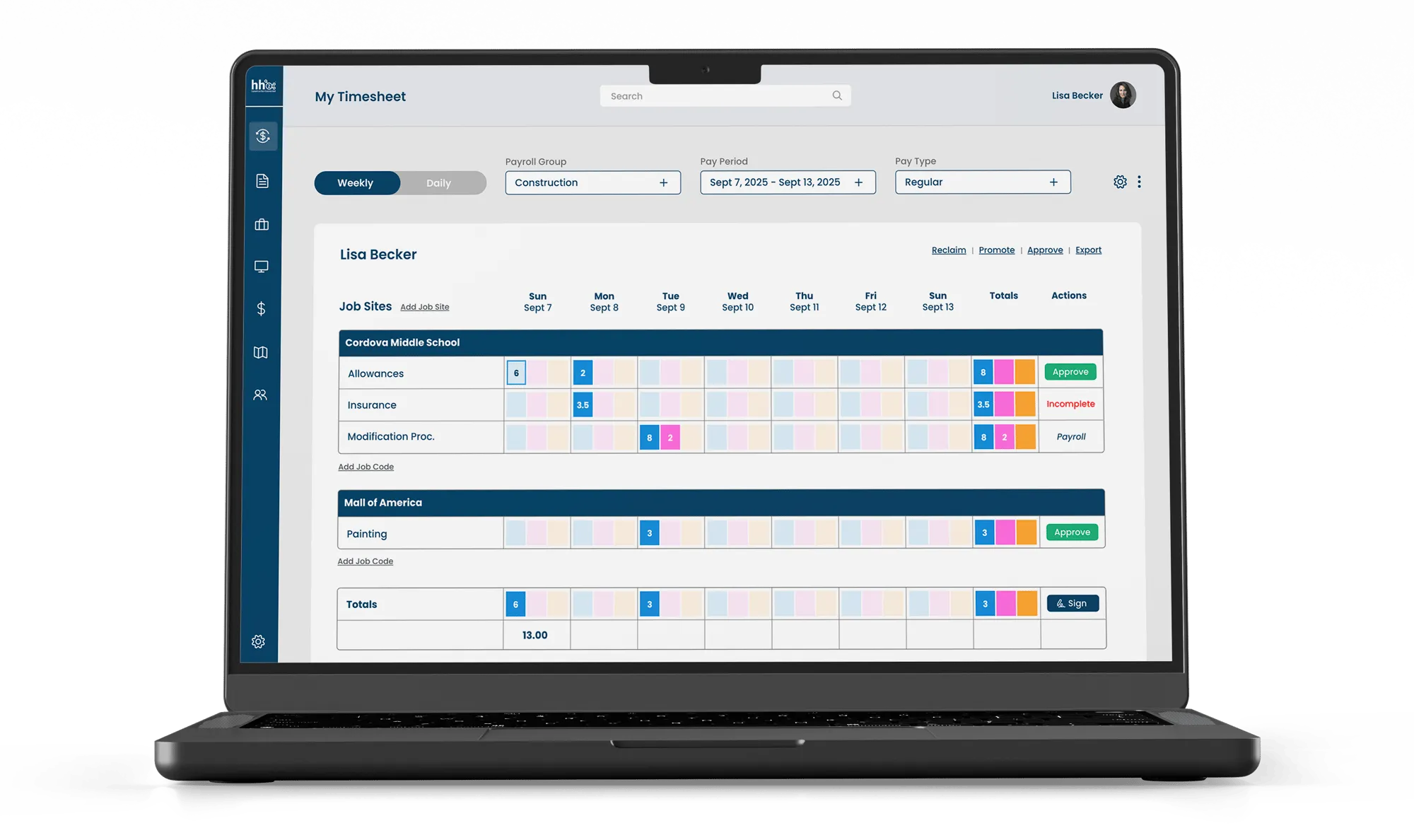
BusyBusy is a specialized timesheet & time tracking app built primarily for construction and field service industries. Unlike general-purpose time tracking tools, it focuses on job site visibility, labor cost tracking, and project-based time allocation.
The platform enables companies to connect workforce activity directly with project progress and budgeting, making it particularly valuable for businesses that operate across multiple job sites.
While it delivers strong capabilities for field operations, its scope is more niche compared to broader workforce or HR management platforms.
Key Features
BusyBusy is designed to support operational tracking in field environments, with features tailored for project-based and location-dependent work:
- Time tracking with job, task, and project-based allocation
- GPS tracking and job site verification for accurate attendance
- Job costing and labor cost tracking tied to project performance
- Daily reporting with notes, photos, and progress updates
- Equipment and resource tracking within job sites
- Payroll export and integration (e.g., QuickBooks)
- Offline capability for remote areas with limited connectivity
Pricing
BusyBusy offers a free plan with core time tracking features, making it accessible for small teams.
Paid plans typically start from around $10/user/month, with additional features such as advanced reporting, project tracking, and integrations included in higher tiers. Pricing may vary depending on team size and feature requirements.
Advantages
- Purpose-built for construction and field operations with strong job costing capabilities.
- Detailed reporting that connects labor time directly to project performance.
- Supports offline time tracking, making it reliable in remote job sites.
- Easy adoption for field workers with mobile-first usage.
Limitations
- Primarily focused on construction use cases, which may limit flexibility for other industries.
- User interface can feel less intuitive in certain areas.
- Integration setup (e.g., payroll or accounting) may require manual configuration.
- Mobile performance may occasionally experience delays.
Why choose BusyBusy?
6. Clockify
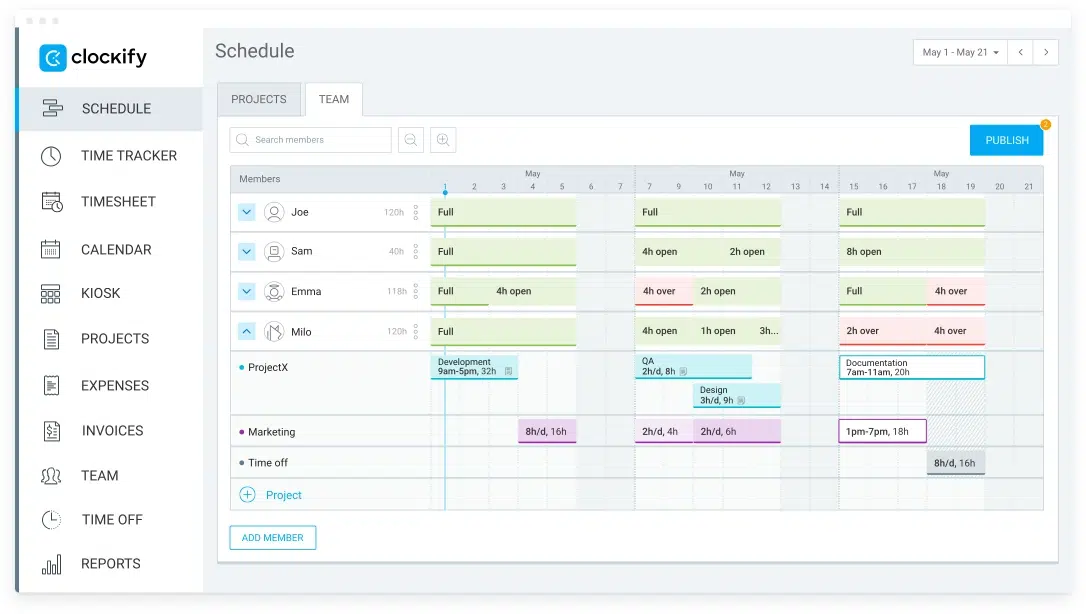
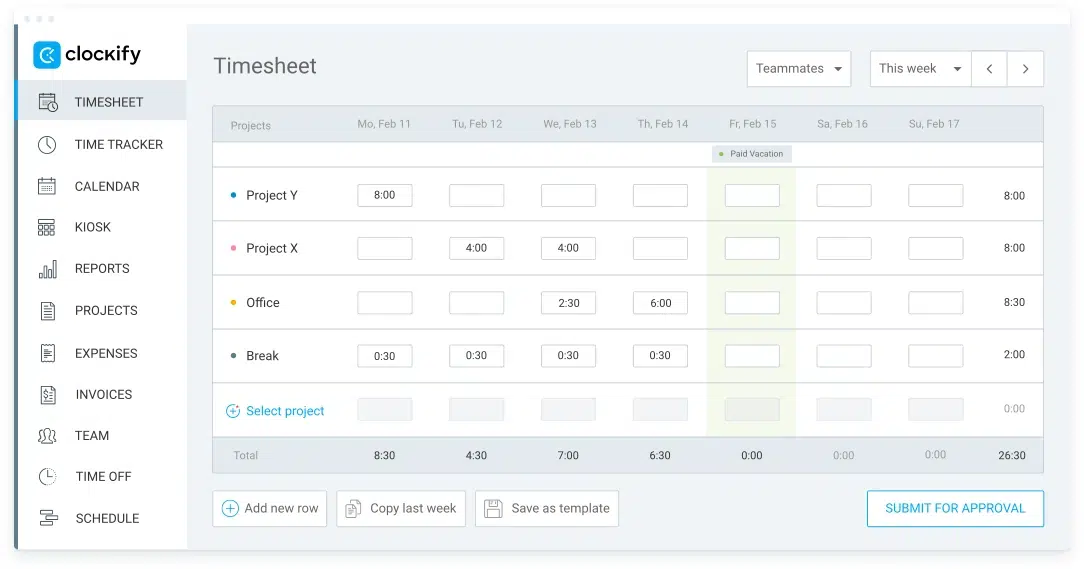
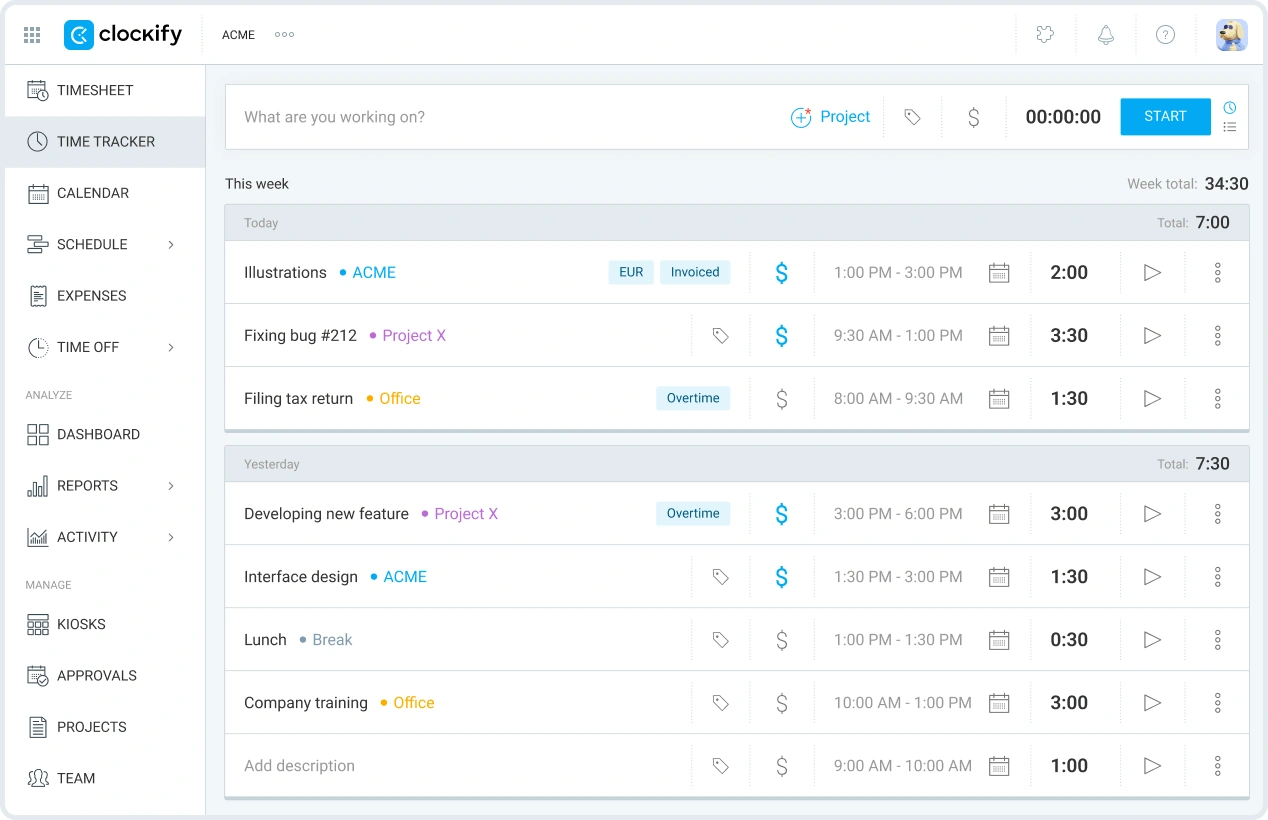
Clockify is a cloud-based timesheet & time tracking app designed primarily for freelancers, small teams, and project-based businesses that need a simple way to track billable hours and productivity.
It emphasizes ease of use and accessibility, making it one of the most widely adopted free time tracking tools globally.
While it performs well for basic tracking and reporting, its capabilities around workforce management, payroll integration, and operational control remain relatively limited for more complex organizational needs.
Key Features
Clockify focuses on simplicity and flexibility in tracking time across projects and tasks:
- Timer-based and manual time tracking
- Project and task-based time allocation with billable tracking
- Automated timesheets with approval workflows
- Basic scheduling and workload planning
- PTO and leave management (paid plans)
- Invoicing and billing for client-based work
- Reporting dashboard with exportable data (CSV, Excel)
- Integrations with 100+ tools (e.g., Asana, Trello, Salesforce)
Pricing
Clockify offers a highly competitive pricing structure, including a free plan with unlimited users and core time tracking features.
Paid plans start from approximately $4.99/user/month, scaling up to Enterprise tiers with advanced features such as GPS tracking, labor cost analysis, and security controls.
Advantages
- Highly accessible with a free plan that supports unlimited users, making it ideal for growing teams.
- Simple and intuitive interface that reduces adoption friction for non-technical users.
- Strong project-based tracking and invoicing capabilities for client-facing work.
- Wide range of integrations to support existing productivity and project management tools.
Limitations
- Limited workforce management capabilities such as shift scheduling and attendance control.
- No native payroll integration.
- Limited time-theft prevention features such as geofencing or photo verification.
- Scheduling and capacity planning features are relatively basic.
Why choose Clockify?
7. OfficeTimer
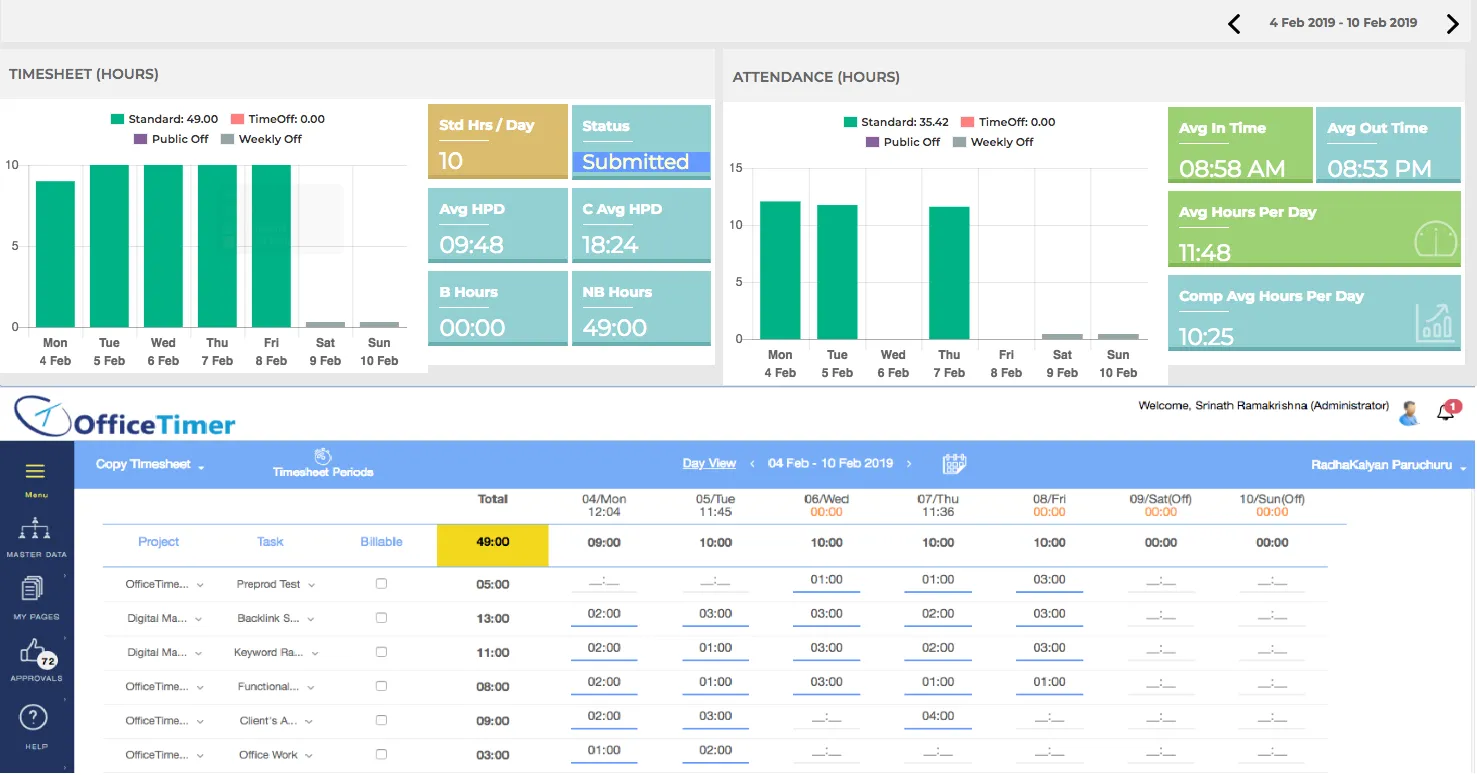
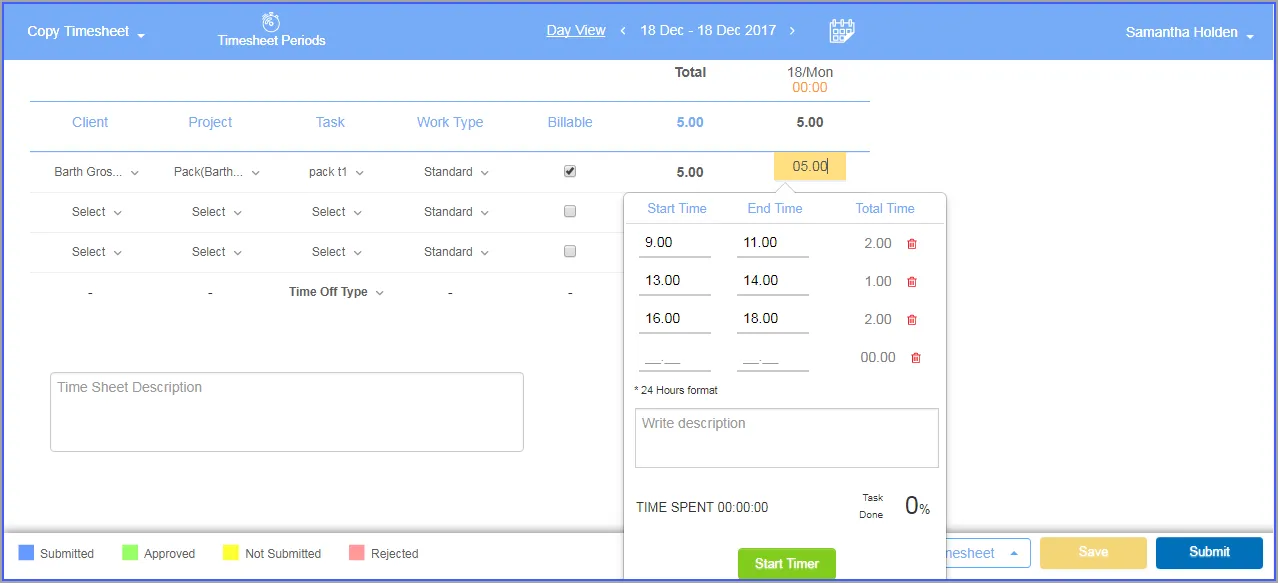
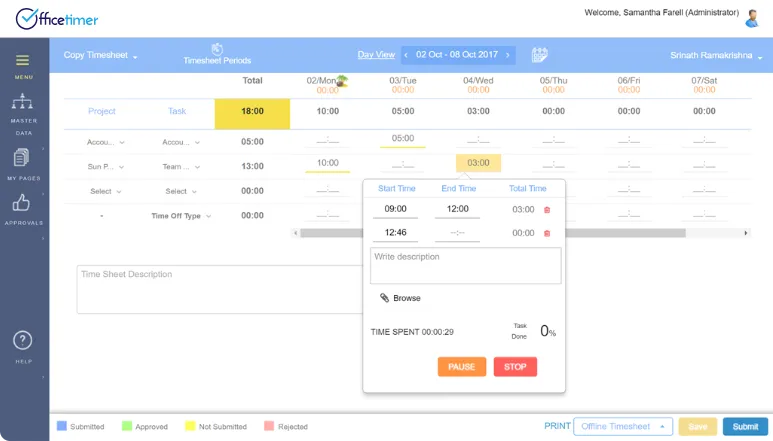
OfficeTimer is a combined timesheet, time tracking, and lightweight project management solution designed for businesses that need visibility into both employee productivity and project execution.
It brings together time tracking, task management, billing, and expense tracking in a single platform, making it suitable for service-based organizations that rely on accurate time allocation and cost control.
While it offers a well-rounded feature set, its depth in integrations and advanced analytics is relatively limited compared to more modern or enterprise-grade systems.
Key Features
OfficeTimer focuses on connecting time tracking with project and financial workflows:
- Time tracking (manual and automatic) linked to tasks and projects
- Timesheet management with approval workflows
- Task and project management with deadlines and milestones
- Leave and attendance management
- Expense tracking and billing/invoice generation
- Resource allocation and workload monitoring
- Role-based access control for secure data handling
- Reporting dashboard for productivity and project insights
- Multi-currency support for global operations
Pricing
Beside a free trial options, OfficeTimer offers relatively affordable pricing tiers, starting from approximately $5 per user/month for the Basic plan, which includes time tracking, attendance management, and basic reporting.
The Professional plan is priced at around $10 per user/month, adding features such as project management, invoicing, and expense tracking.
For more advanced needs, the Enterprise plan provides custom pricing with additional capabilities like advanced analytics and integrations.
Advantages
- Combines time tracking, project management, and billing in a single platform, reducing tool fragmentation.
- Provides accurate tracking of billable and non-billable hours for better financial visibility.
- Integrated expense tracking and invoicing streamlines project-based billing.
- Affordable pricing suitable for small to mid-sized service-based businesses.
Limitations
- Limited integration capabilities compared to modern ecosystem-driven tools.
- User interface feels less modern and intuitive.
- Reporting capabilities are relatively basic without advanced analytics.
- Project management features are not as robust as dedicated PM tools.
Why choose OfficeTimer?
8. TMetric
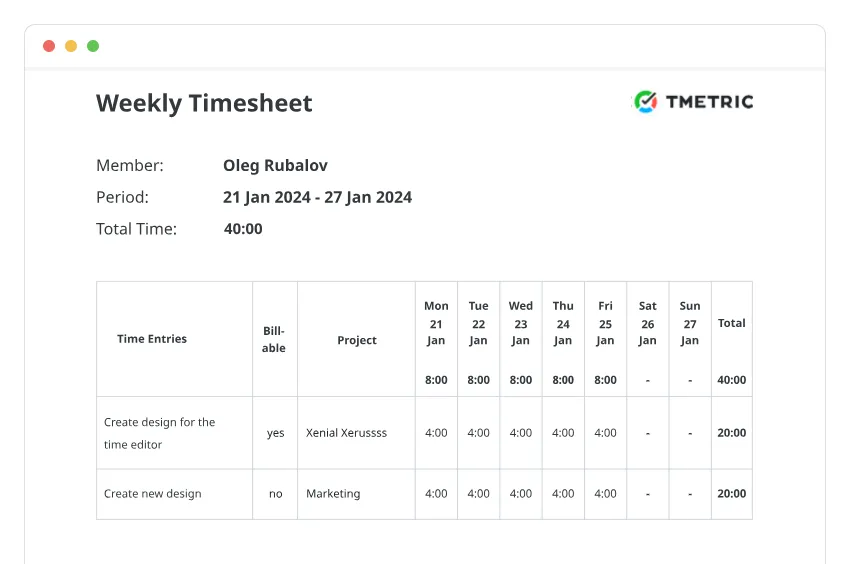
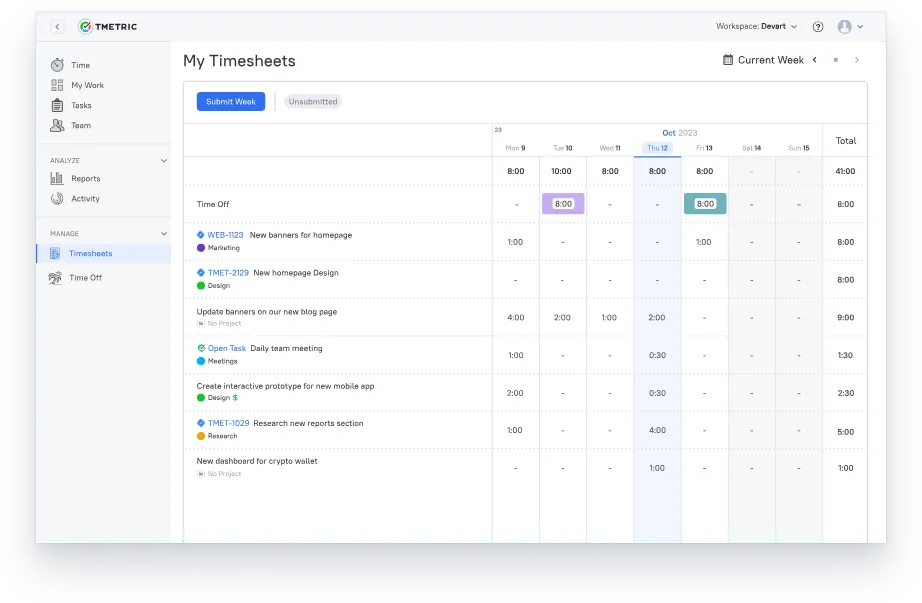
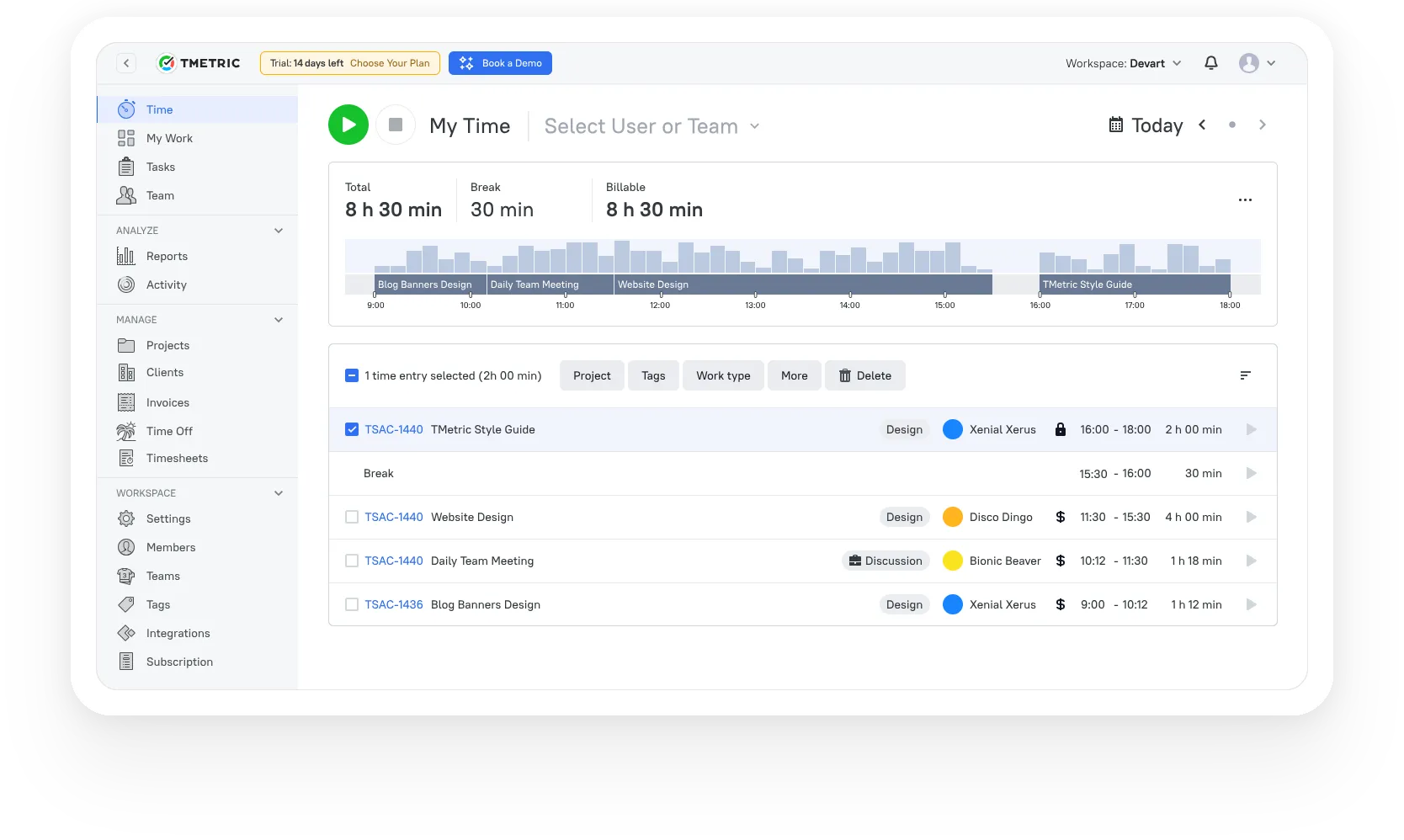
TMetric is a time tracking and productivity monitoring software designed primarily for freelancers, startups, and desk-based teams that need clear visibility into how work hours are spent.
It combines time tracking, activity monitoring, and project cost tracking to support accurate billing and performance evaluation across tasks and projects.
The platform allows users to track time across web, desktop, mobile, and browser extensions, making it flexible for different work environments.
Its activity monitoring feature provides insights into app usage, idle time, and productivity levels, helping teams understand work patterns more effectively.
Additionally, TMetric supports project-based workflows with budgeting, reporting, and invoicing features that help businesses maintain control over project costs and billable hours.
Key Features
TMetric focuses on productivity tracking and project-based time management:
- Time tracking across web, desktop, mobile, and browser extensions
- Activity monitoring (apps, websites, screenshots, idle time)
- Project and task tracking with budget and cost control
- Timesheet management with manual submission and approvals
- Time-off management with customizable accrual policies
- Billing and invoicing based on tracked hours
- Reporting with activity insights and productivity metrics
- Integration with project tools (e.g., Asana, Trello, ClickUp)
Pricing
TMetric offers a straightforward pricing model with three main tiers. The Free plan includes basic time tracking, reporting, and unlimited projects.
The Professional plan starts at approximately $5 per user/month, adding features such as billable rates, project budgeting, task management, and invoicing.
The Business plan is priced at around $7 per user/month and includes advanced capabilities like activity monitoring, screenshots, payroll support, and time-off management.
Advantages
- Strong activity monitoring features, including app usage, idle tracking, and screenshots for productivity analysis.
- Flexible time tracking across multiple platforms with seamless synchronization.
- Integrated project budgeting and cost tracking for better financial control.
- Simple pricing structure suitable for freelancers and small teams.
Limitations
- Lacks overtime tracking and compliance-focused features, which may be critical for regulated environments.
- Limited support for mobile workflows, including no time-off requests via mobile app.
- Project management capabilities are relatively basic and not suitable for complex workflows.
- No offline mode on mobile and limited automation in timesheet submission.
Why choose TMetric?
9. Traqq
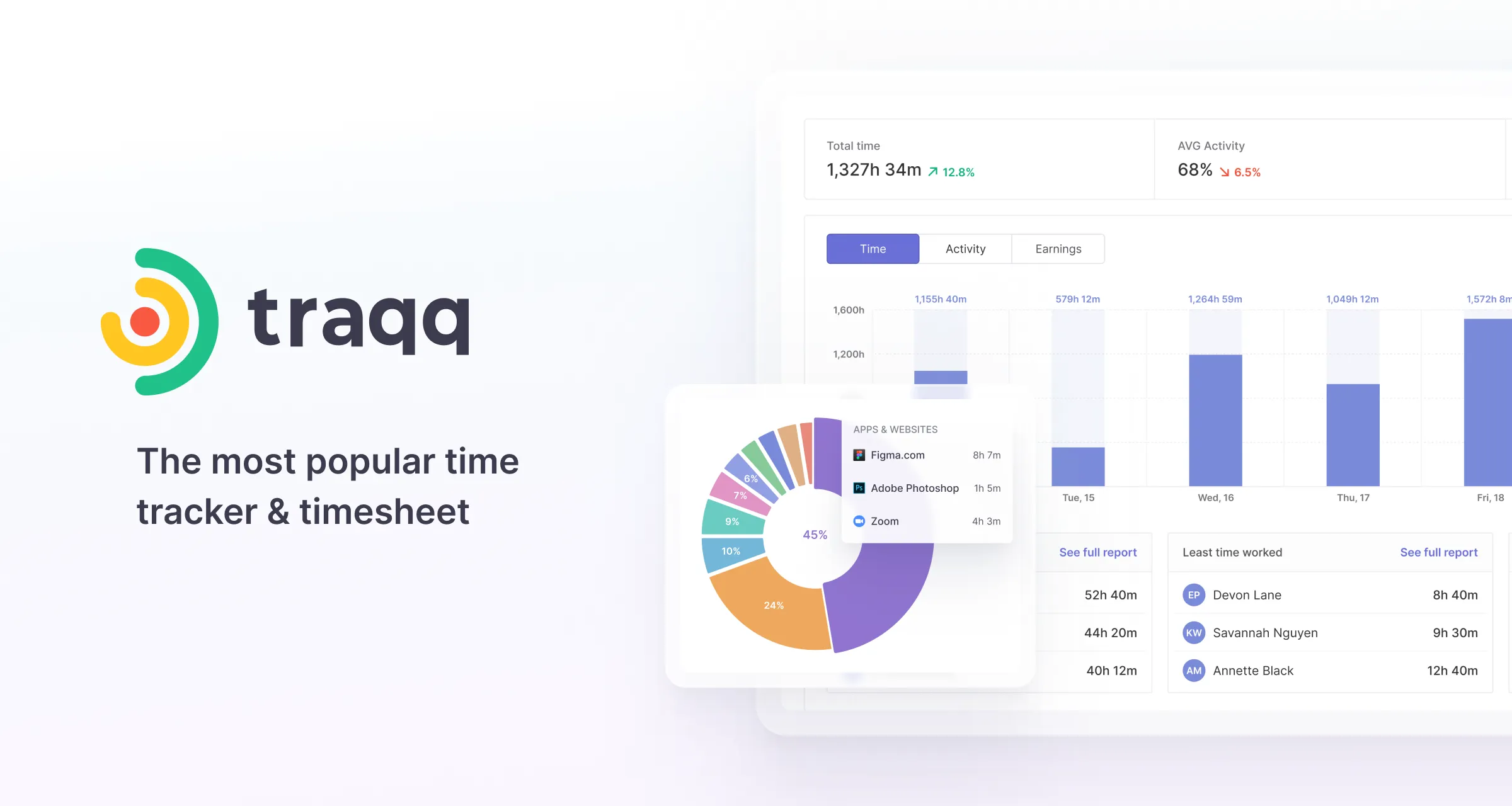
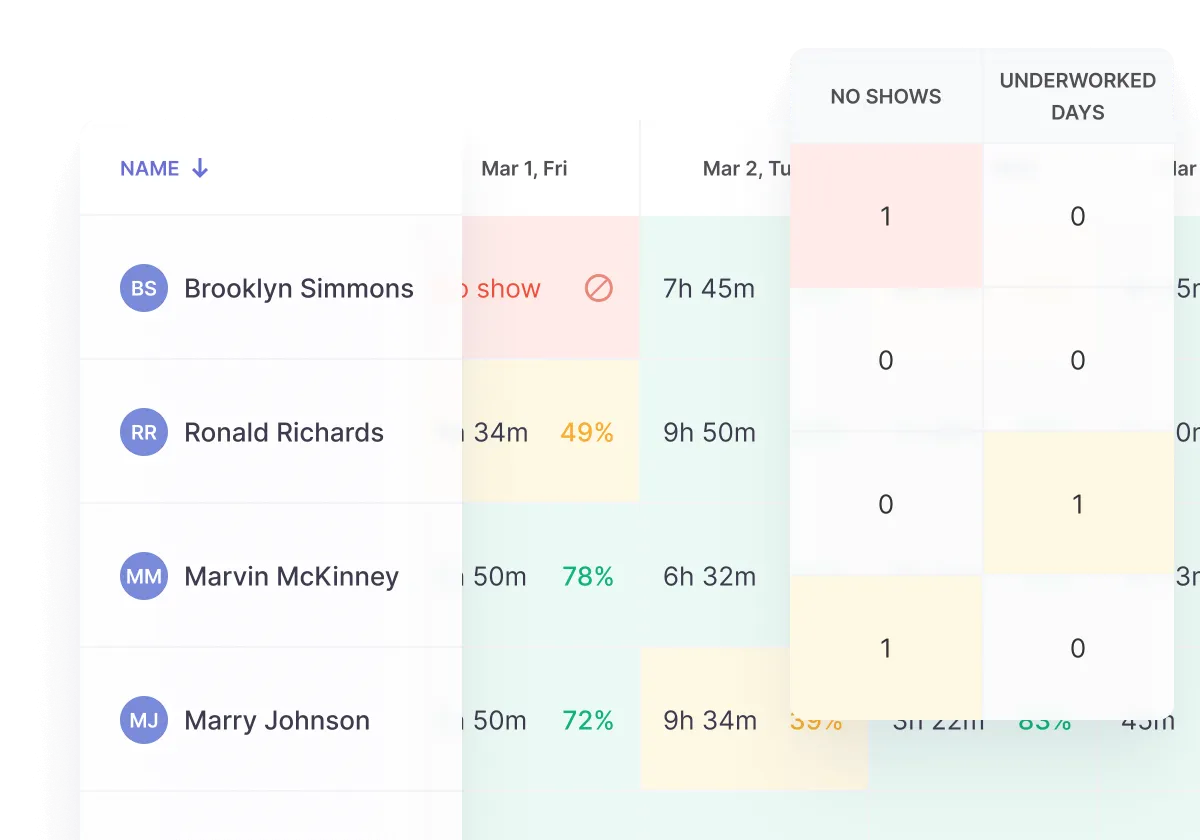
Built for remote teams and digital workflows, Traqq focuses on delivering detailed visibility into how employees spend their working hours.
Instead of relying solely on manual input, it automatically captures activity data, such as app usage, screenshots, and productivity levels, to provide a more objective view of performance.
Time tracking can be initiated with a simple start/stop mechanism, supported by smart reminders that help minimize missed logs during the day.
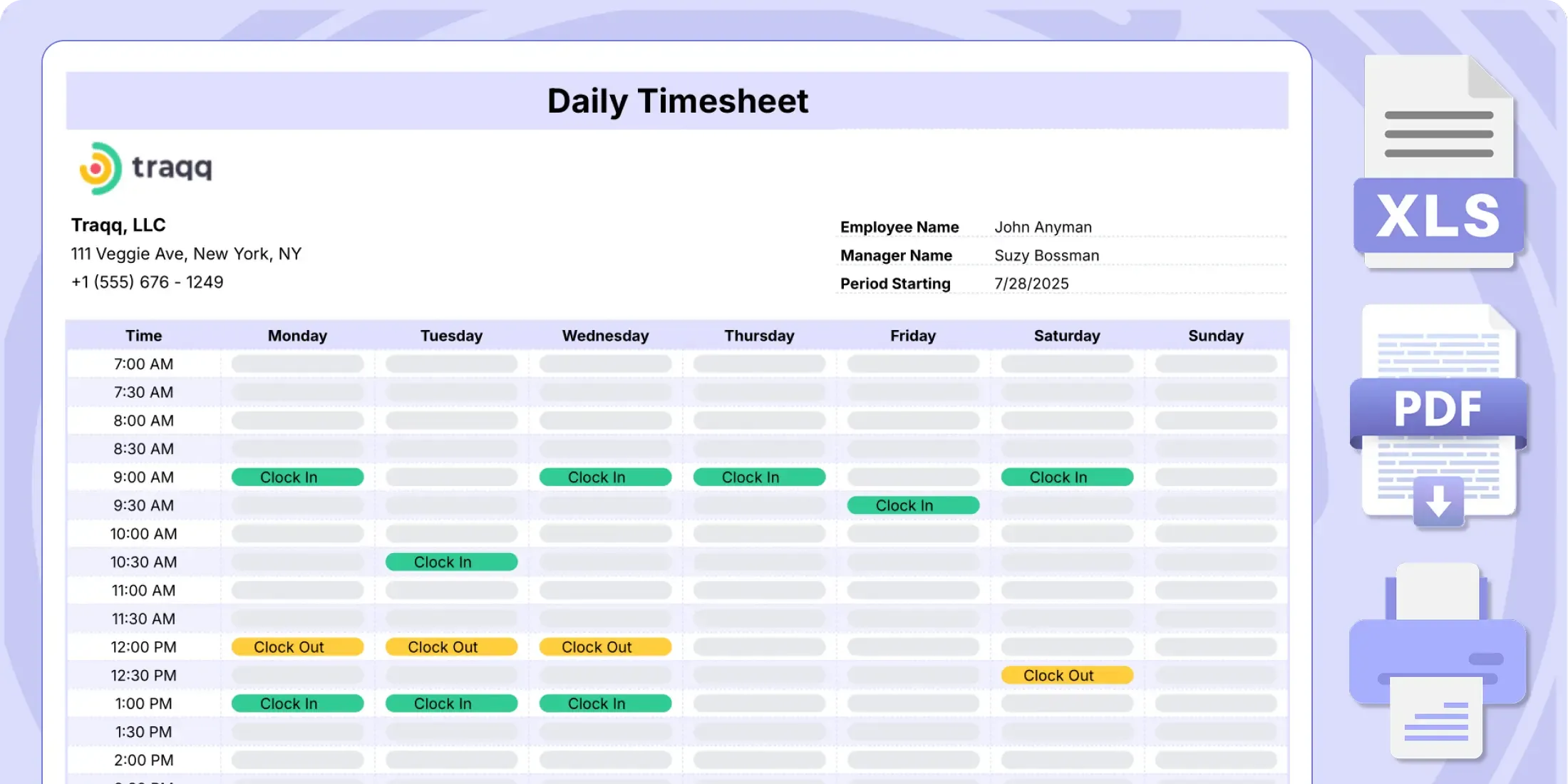
The system also compiles this data into structured timesheets and reports, making it easier to review patterns, evaluate output, and identify inefficiencies.
This makes Traqq particularly relevant for teams that prioritize transparency, accountability, and data-driven performance management.
Key Features
- Automatic and manual time tracking with start/stop timer
- Activity monitoring (apps, websites, screenshots, productivity levels)
- Idle time detection with smart notifications
- Timesheet management and automated reporting
- Productivity insights and performance tracking
- Invoice and expense tracking for client-based work
- Team and individual performance analytics
- Desktop-based tracking (no full mobile app support yet)
Pricing
Traqq offers a free plan with core time tracking and monitoring features, making it accessible for freelancers and small teams.
Paid plans typically start from around $7–$10 per user/month, depending on features such as advanced reporting, team analytics, and integrations. Pricing may vary based on team size and specific business requirements.
Advantages
- Strong activity monitoring capabilities with screenshots, app usage, and productivity tracking.
- Easy-to-use time tracking with smart reminders to reduce missed logs.
- Provides detailed insights into employee work patterns for performance optimization.
- Suitable for remote and distributed teams that require high visibility.
Limitations
- Does not yet offer a fully featured mobile app, which may limit flexibility for on-the-go tracking.
- User interface design may feel less modern compared to newer tools.
- Limited advanced integrations with third-party ecosystems, though sufficient for standalone usage.
- More focused on monitoring than full workforce management capabilities.
Why choose Traqq?
10. TrackingTime
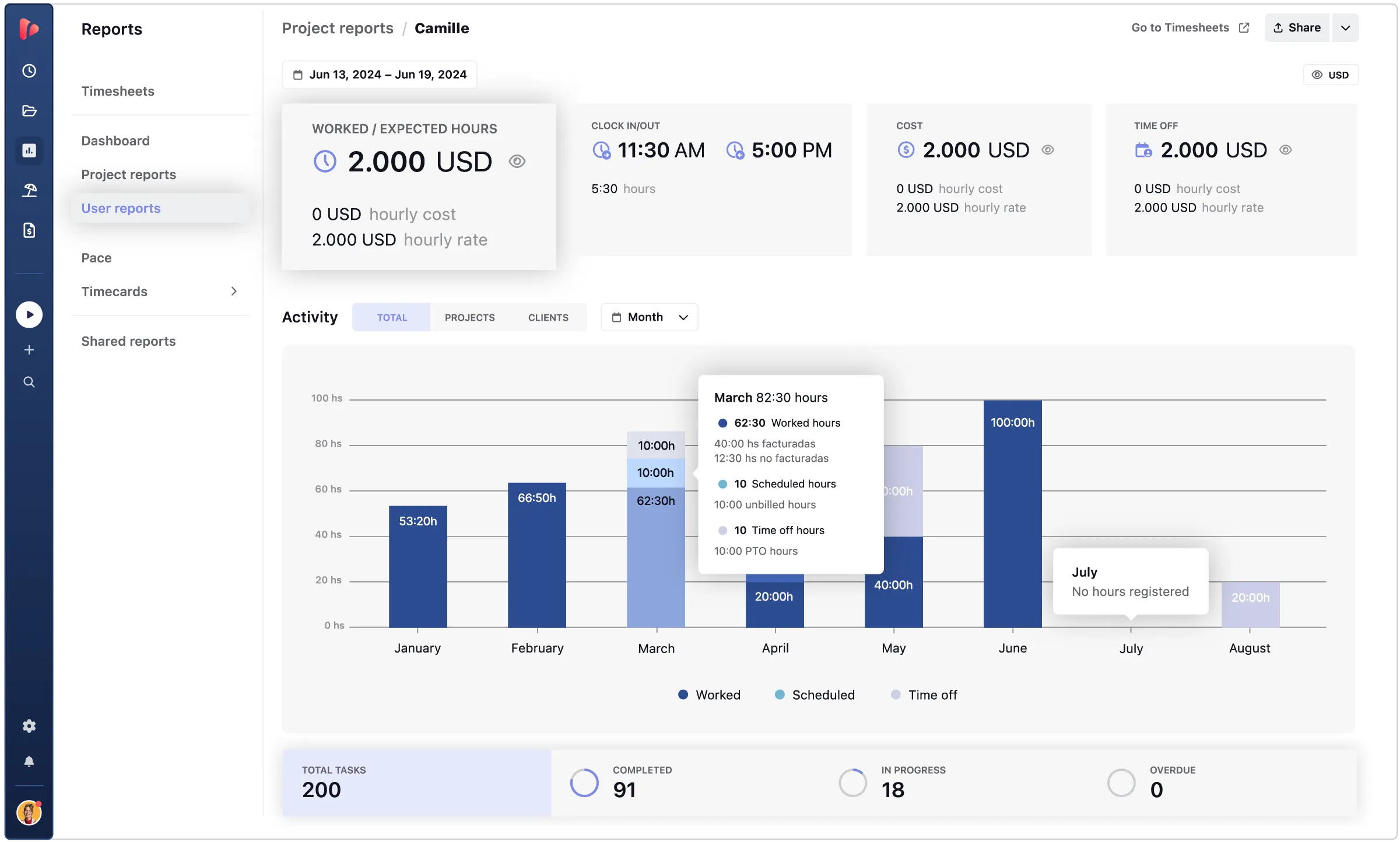
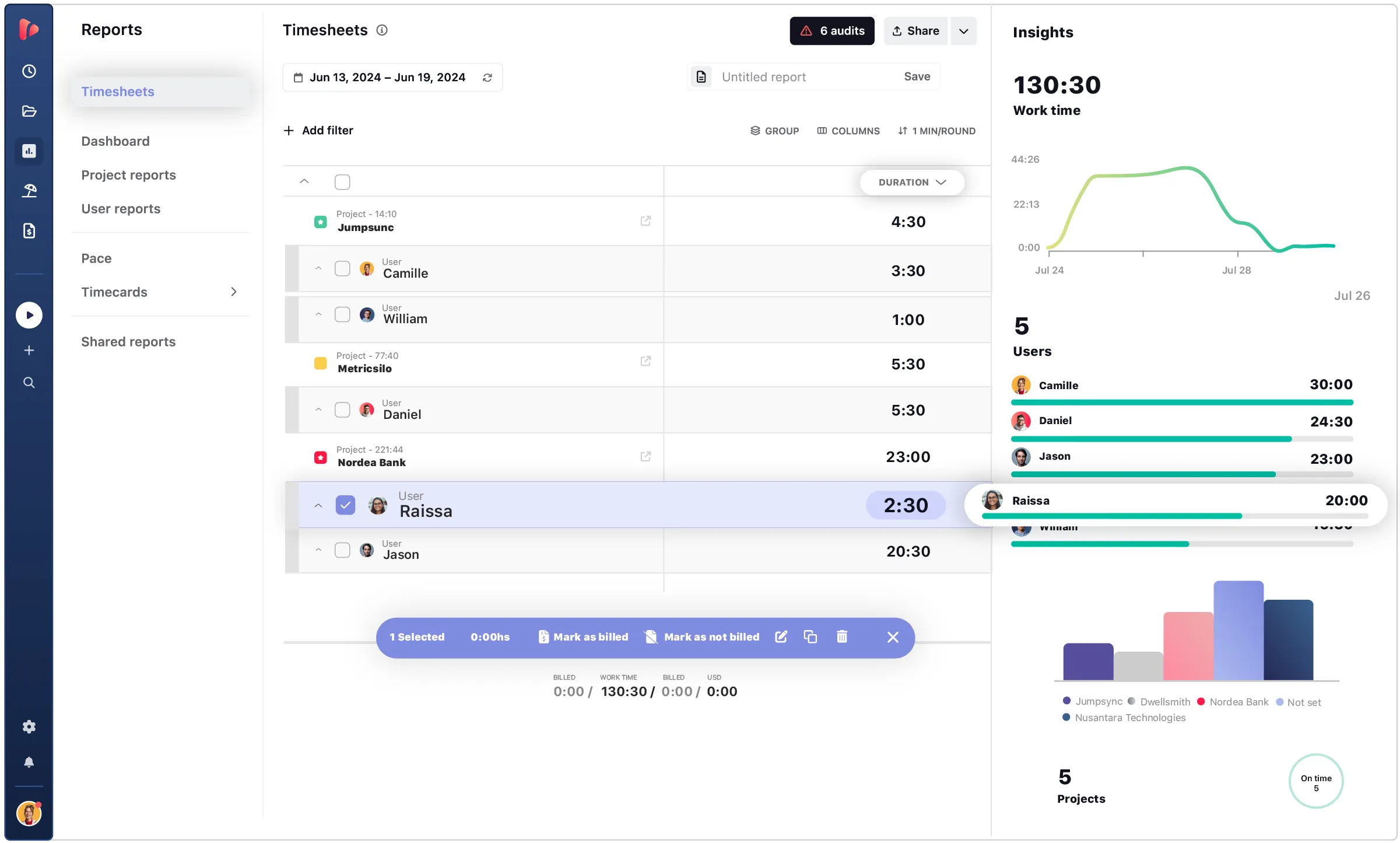
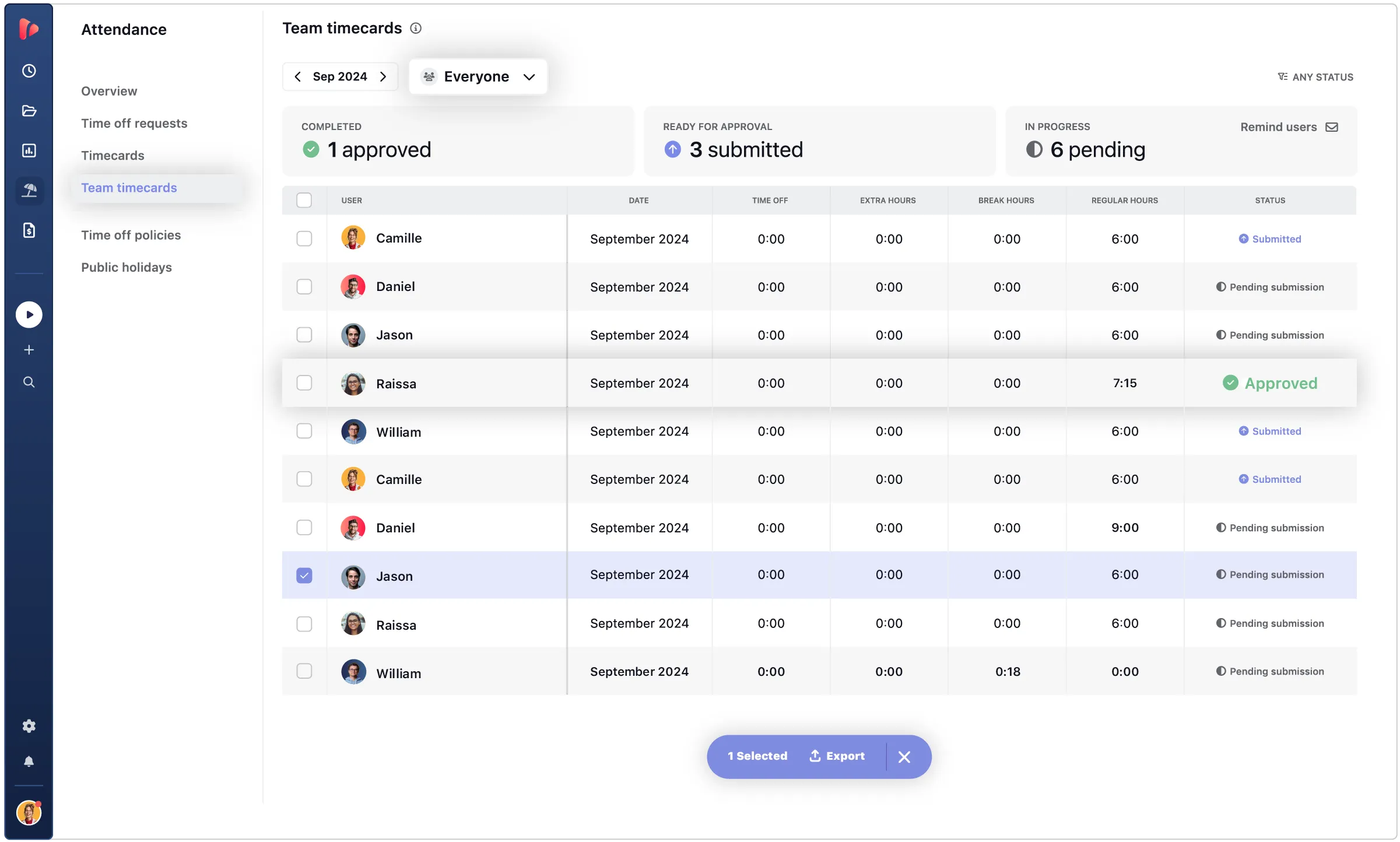
For teams that need a balance between time tracking and lightweight project management, TrackingTime offers a fairly practical solution.
Beyond logging work hours, it allows teams to organize tasks, monitor project progress, and collaborate through shared notes and files within a centralized workspace.
The platform supports multiple project views, such as list, board, and timeline. It makes easier to adapt workflows based on team preferences.
Time data can also be converted into detailed reports or client-ready invoices, helping businesses maintain visibility over both productivity and billing.
While it covers the essentials well, its capabilities remain more suited for structured, desk-based teams rather than highly mobile or compliance-heavy environments.
Key Features
- Time tracking across web, desktop, and mobile
- Project management with list, board, and timeline views
- Task assignment and progress monitoring
- Time off management with approval workflows
- Customizable invoicing from timesheets
- Reporting and analytics for productivity insights
- AutoTrack for desktop activity tracking
Pricing
TrackingTime offers a tiered pricing structure based on user needs. A free plan is available for up to 3 users with basic time tracking and project management features.
Paid plans include Freelancer (~$8–$10/user/month), Pro (~$5.75–$7/user/month), and Business (~$10–$12/user/month), with additional capabilities such as advanced reporting, time off management, and security features.
A 14-day free trial (Pro plan) and a 30-day money-back guarantee are also available for evaluation.
Advantages
- Offers integrated project management with multiple views to support different workflows.
- Allows easy conversion of timesheets into customizable invoices for client billing.
- Provides insightful reports to monitor team productivity and project progress.
- Simple time off request and approval process for basic attendance management.
Limitations
- Lacks advanced compliance features for break and overtime regulations.
- No offline mode for mobile apps, which may limit usage in low-connectivity environments.
- Does not include advanced workforce tools like shift scheduling or geofencing.
- User interface may require a short learning curve for first-time users.
Why choose TrackingTime?
11. Everhour
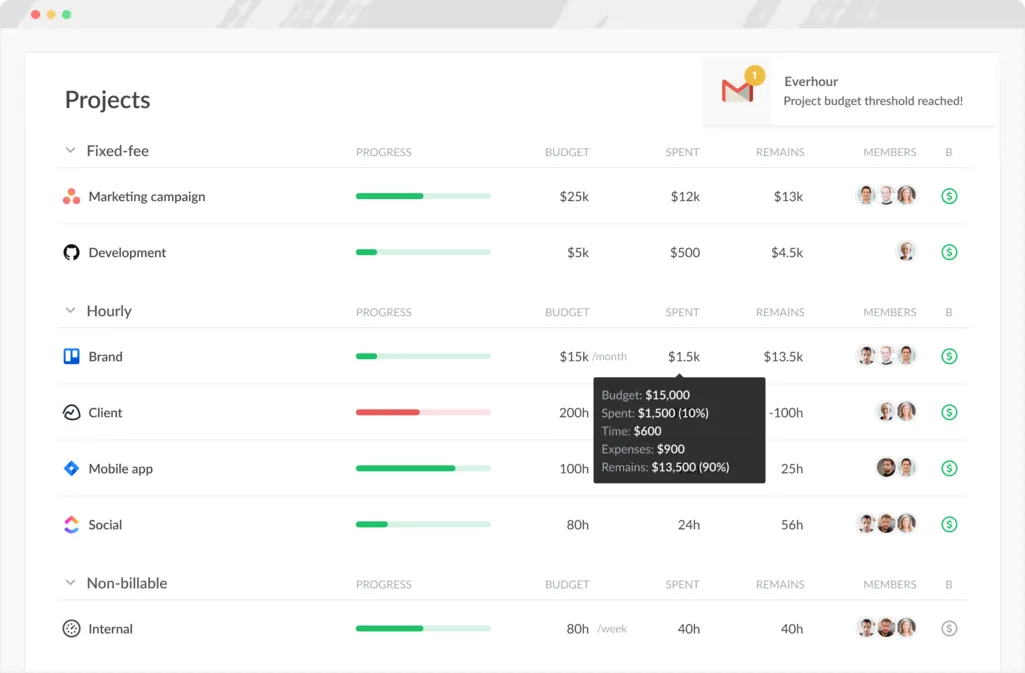
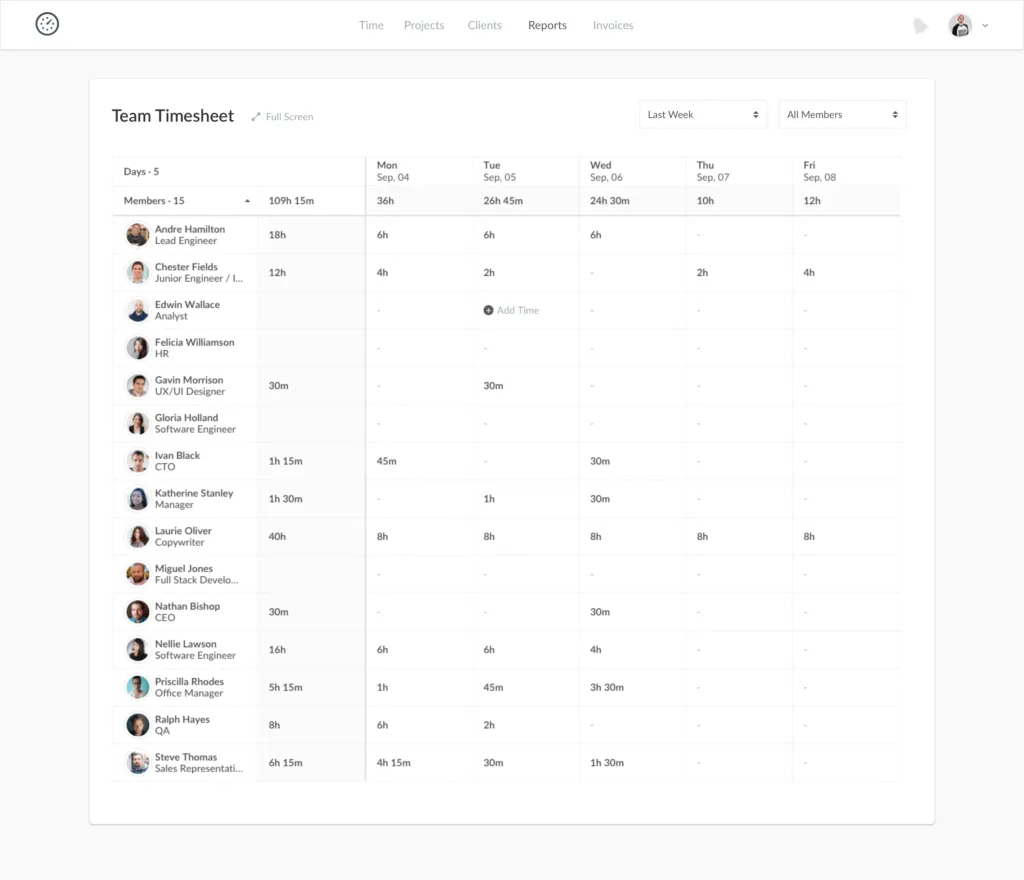
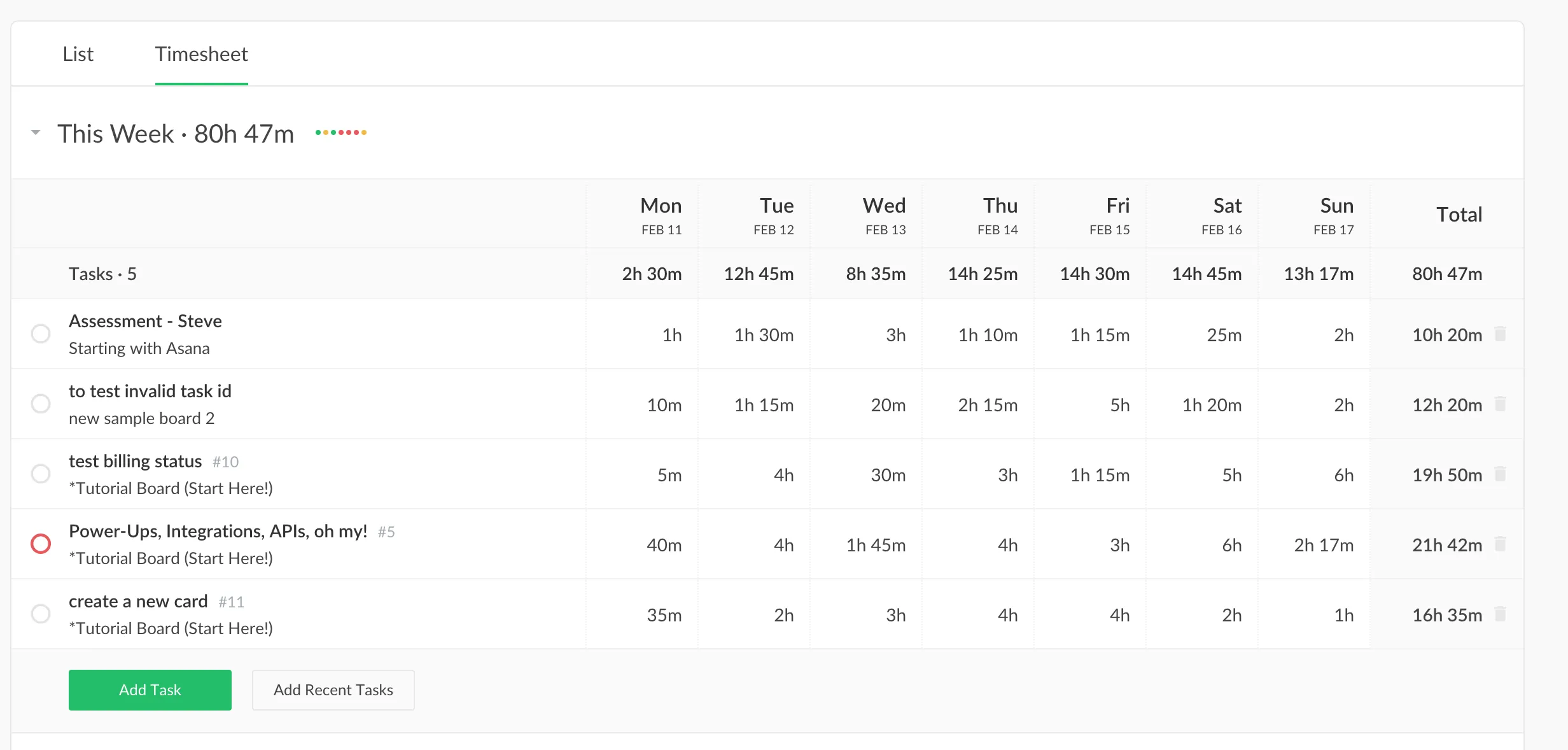
Designed to work seamlessly alongside project management tools, Everhour positions itself as a time tracking solution that fits directly into existing workflows rather than replacing them.
It allows teams to log hours without switching tabs, thanks to native integrations with platforms like ClickUp, Asana, and others.
Beyond tracking time, it provides visibility into project budgets, team workload, and profitability through its visual planning and reporting tools. Features like expense tracking and invoicing also make it easier to manage billable work from a single platform.
This approach makes Everhour particularly appealing for teams that already rely heavily on project management systems and want tighter control over time and costs.
Key Features
- Time tracking via web, browser extension, iOS app, and integrations
- Native integration with project management tools (e.g., Asana, ClickUp)
- Visual timeline planner for workload and resource management
- Budget tracking and project cost monitoring
- Expense tracking with receipt attachments
- Invoicing based on tracked time and expenses
- Overtime tracking and automated reminders
Pricing
Everhour offers two main plans. The Free plan supports up to 5 users with basic time tracking and reporting features.
The Team plan starts at around $8.50–$10 per user/month (billed annually or monthly) and includes advanced features such as integrations, invoicing, expense tracking, budgeting, and overtime tracking. A 14-day free trial is available for testing premium features before committing.
Advantages
- Seamlessly integrates with popular project management tools, reducing manual setup effort.
- Provides strong budgeting and profitability tracking for project-based work.
- Includes built-in expense tracking and invoicing for streamlined billing.
- Offers flexible time tracking options, including embedded timers within workflow tools.
Limitations
- Does not offer an Android app, which limits accessibility for some users.
- Mobile app lacks offline functionality, making it less reliable in low-connectivity environments.
- Some features like scheduling require a separate product (Shifts by Everhour).
- More focused on project-based tracking than comprehensive workforce management.
Why choose Everhour?
12. My Hours
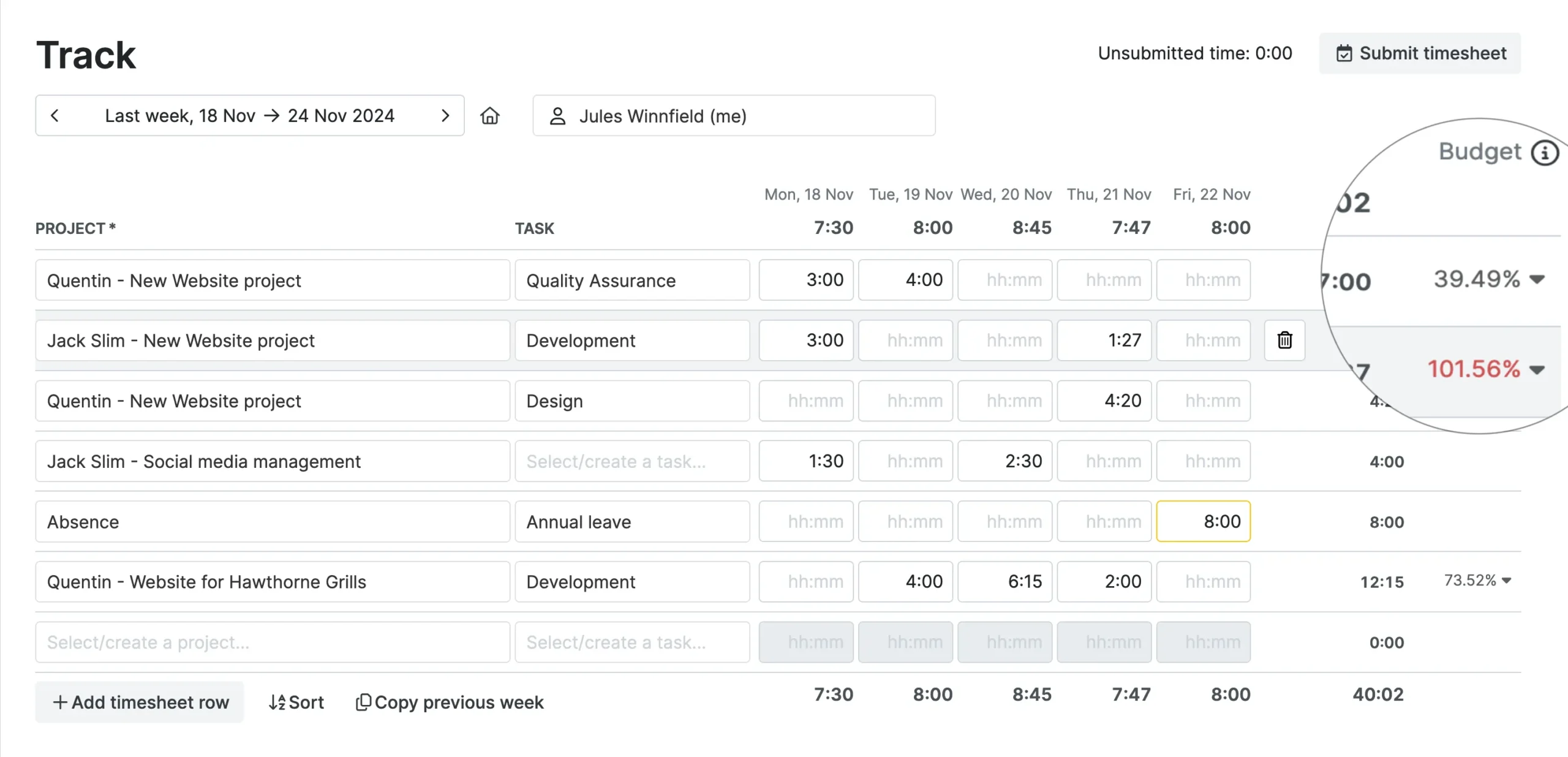
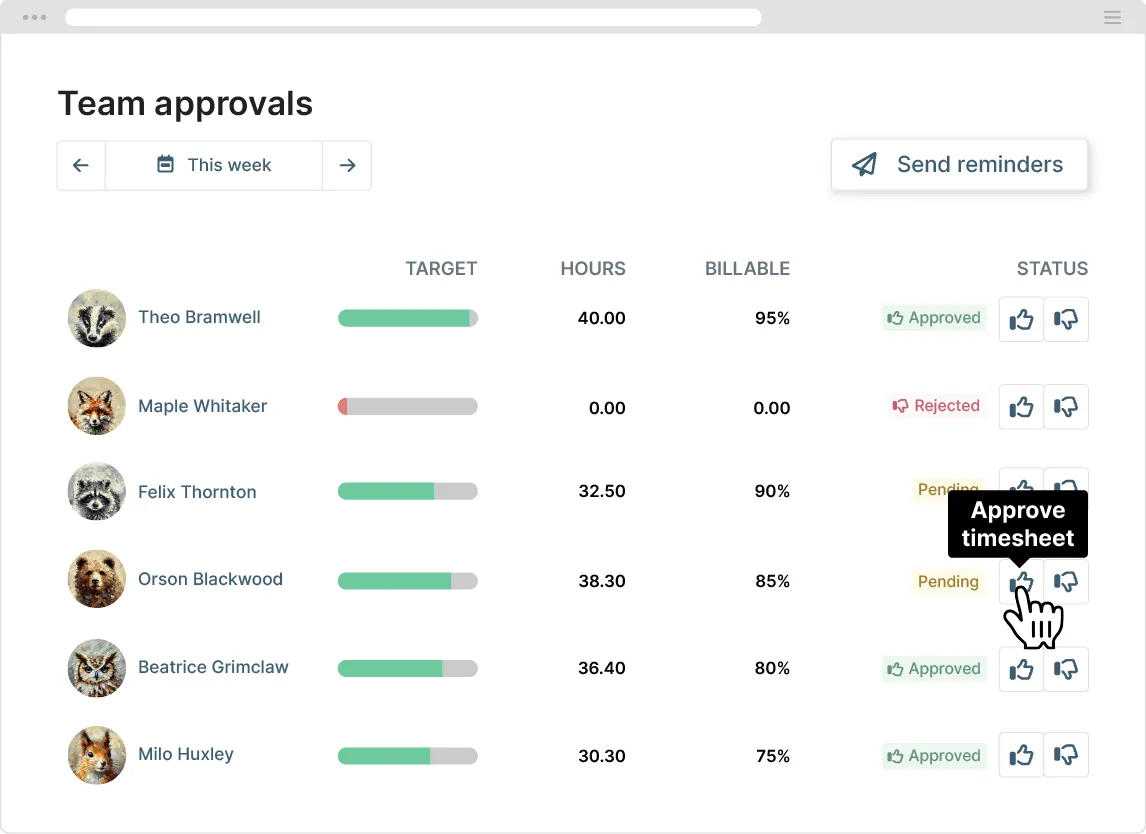
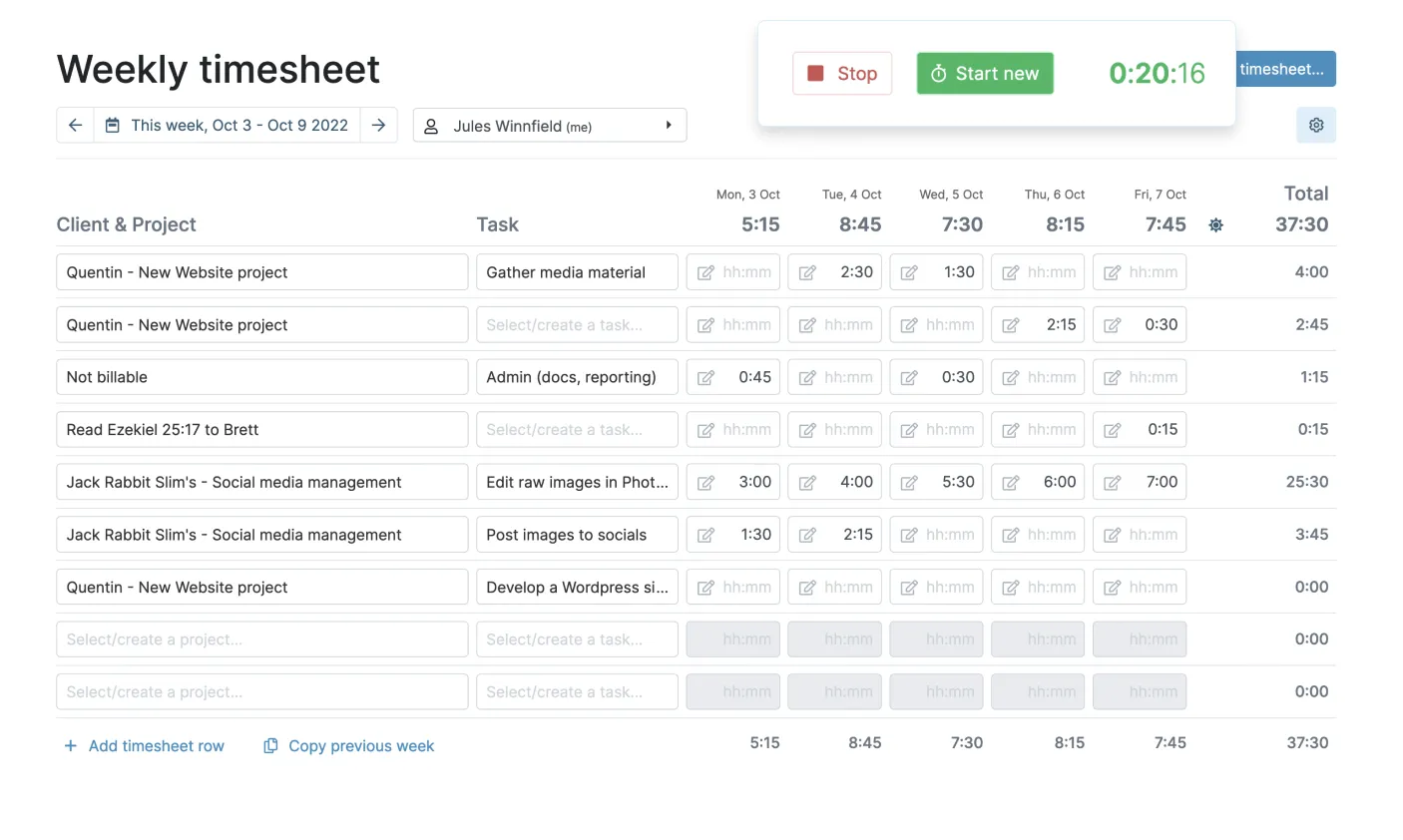
For teams that prioritize simplicity over heavy configuration, My Hours offers a structured way to track billable time across multiple projects without requiring complex setup.
It is widely used by freelancers and small teams to organize work hours, monitor project budgets, and generate client-ready reports.
The platform emphasizes clarity in time allocation, making it easier to understand where effort is spent and how it translates into cost or revenue.
Features like approval workflows and profit tracking add a layer of control as teams grow, without significantly increasing system complexity.
This makes it particularly useful for organizations transitioning from spreadsheets to a more reliable time tracking system.
Key Features
- Time tracking across projects and clients (manual & real-time)
- Project-based reporting and profitability tracking
- Billable & non-billable hour management
- Budget tracking and cost monitoring
- Approval workflows for timesheet validation
- Basic expense tracking for billing
- Integrations with tools like Jira, Asana, QuickBooks, Zapier
Pricing
My Hours provides a flexible pricing structure. A Free plan is available for up to 5 users with essential time tracking and reporting features.
Paid plans include Basic (~$4/user/month) and Pro (~$8/user/month), offering additional capabilities such as advanced reporting, budgeting tools, invoicing, and approval workflows.
An Enterprise plan with custom pricing is also available for larger teams. A free trial is offered for evaluation before upgrading.
Advantages
- Simple and intuitive setup, making it easy to adopt without extensive training.
- Strong value for money with flexible pricing suitable for small teams.
- Provides clear visibility into project budgets, billable hours, and profitability.
- Includes approval workflows to maintain control over timesheet submissions.
Limitations
- Limited task progress tracking compared to more advanced project management tools.
- Occasional performance lags when handling large datasets, which can be mitigated by structuring projects more efficiently.
- Limited native payroll integration, requiring manual processing or third-party tools.
- Less suitable for complex workforce operations with strict compliance requirements.
Why choose My Hours?
Read also: Best HRIS for Remote & Hybrid Workforce, Boost Performance by 33%
Factors to Consider When Choosing a Timesheet & Time Tracking App
When select the right timesheet & time tracking app you should make sure that it aligns with how your organization operates, scales, and manages workforce complexity.
The right choice can improve visibility, accuracy, and operational efficiency, while the wrong one may create friction across teams.
Here are the key factors to evaluate:
- Data Security & Access Control. For organizations handling sensitive employee and payroll data, security features such as role-based access, audit logs, and compliance with data protection standards are important considerations.
- Business Size & Operational Complexity. Consider whether the tool can support your current structure and future growth. Smaller teams may prioritize simplicity, while larger organizations often require multi-level approvals, structured workflows, and scalability across departments or entities.
- Time Tracking Capabilities. Evaluate whether the app supports manual, automatic, or hybrid tracking. Features like idle detection, reminders, and real-time tracking can significantly improve accuracy and reduce reliance on manual input.
- Project & Task Alignment. A strong timesheet app should allow time to be mapped clearly to projects, tasks, or clients. This is especially important for organizations managing billable hours, project budgets, or resource allocation.
- Reporting & Analytics Depth. Look beyond basic reports. Advanced analytics such as utilization rates, cost tracking, and productivity insights are critical for decision-making, especially at a managerial or executive level.
- Integration with Other Systems (Nice to Have, Especially for Large Organizations). Integration with HRIS, payroll, accounting, or project management tools can streamline workflows and eliminate duplicate data entry. While smaller teams may operate without it, larger organizations benefit significantly from a connected ecosystem that ensures data consistency across systems.
- Compliance & Policy Enforcement. For companies operating under strict labor regulations, the ability to track overtime, breaks, and work hours in line with local laws is essential. Some tools only track time, while others actively enforce compliance rules.
- User Experience & Adoption. Even the most feature-rich system will fail if employees don’t use it consistently. A clean interface, mobile accessibility, and minimal learning curve are key to driving adoption across teams.
- Pricing & Total Cost of Ownership. Assess not only the subscription cost but also the long-term value. Consider scalability, hidden costs, and whether additional tools are needed to fill feature gaps.
- Workforce Type Compatibility. Ensure the app supports your workforce setup, whether office-based, remote, hybrid, or field employees. Features like GPS tracking or mobile access may be critical depending on your operations.
To meet all these criteria in a single platform, businesses need more than just a standalone timesheet tool. You need an integrated system that connects time tracking with broader HR operations.
Mekari Talenta provides a comprehensive solution that aligns with these needs, helping organizations manage time, workforce data, and compliance in a more structured and efficient way.
Key capabilities include:
- Integrated ecosystem: connects timesheet with attendance, payroll, performance, and even recruitment management.
- Advanced reporting with AI-driven insights for better decision-making
- Multi-level approval workflows for structured validation processes
- Role-based access control to ensure proper data governance
- Scalable architecture to support growing and complex organizations
- Compliance with local regulations (e.g., payroll, tax, and labor policies)
- ISO 27001-certified data security for enterprise-grade protection
With these capabilities, Mekari Talenta enables companies to streamline operations while maintaining accuracy, control, and compliance across their HR processes.
To see how Mekari Talenta can be tailored to your business needs, you can reach out directly to the sales team for a consultation and product walkthrough.